Fixed Asset Management Fundamentals
What are Fixed Assets? Fixed assets are long-term resources owned by a company that are used in its operations and provide economic benefits over multiple accounting periods. They come in various forms – tangible assets (physical items like land, buildings, machinery, vehicles, equipment), intangible assets (non-physical assets like software, patents, goodwill), and sometimes financial assets (long-term investments, securities)[1][1]. These assets are capitalized on the balance sheet rather than expensed immediately, because they have a useful life spanning multiple years. For example, a $300 printer expected to last 3 years would be recorded as an asset and expensed $100 per year over its life, rather than $300 all in the first year[1]. Most accounting standards (e.g. IFRS and GAAP) mandate such treatment to match the asset’s cost with the revenue it helps generate over time (the matching principle).
Role in Financial Accounting: Fixed assets (often called Property, Plant, and Equipment or PPE under IAS 16) are critical to a company’s operations and financial position. They represent significant investments and are subject to special accounting rules for capitalization (recording on the balance sheet), depreciation (systematically expensing their cost), and impairment or disposal. Proper fixed asset accounting ensures that a company’s financial statements reflect the current value and remaining useful life of these assets, and that expenses are recognized in the correct periods. Fixed assets are usually reported at cost minus accumulated depreciation (under the cost model) or at revalued amounts (under the revaluation model, if adopted)[2][2]. Intangible assets are accounted for in a similar way (amortized if they have finite life, or tested for impairment if indefinite life). Financial assets follow separate standards (e.g. IFRS 9) and are not depreciated, but are worth noting as non-current assets that may be carried at fair value or amortized cost depending on their nature.
Asset Lifecycle Stages: Every fixed asset goes through a lifecycle with several key stages[3]:
- Acquisition/Capitalization: The asset is purchased or otherwise acquired and recognized on the balance sheet. All costs necessary to bring the asset to working condition for its intended use are capitalized (purchase price, import duties, installation, initial delivery, site preparation, etc.)[2][2]. For example, if equipment is bought outright, the journal entry would debit the asset account and credit Cash or Payables for the total cost (including any shipping or installation)[3][3]. If acquired via exchange or non-monetary transaction, IFRS prescribes using fair value if available[2]. The date the asset is available for use often marks the start of depreciation.
- Depreciation (or Amortization for intangibles): Over the asset’s useful life – the period it is expected to generate benefits – the company systematically allocates the asset’s depreciable cost to expense. Depreciation is “the systematic allocation of the depreciable amount of an asset over its useful life”[2]. This matching of cost to periods of benefit adheres to accrual accounting[2]. Depreciation methods and rates are chosen based on the asset’s usage pattern and reviewed annually[2][2] (we delve into methods in the next section). Each period’s depreciation is recorded as an expense on the income statement and accumulated as Accumulated Depreciation on the balance sheet (a contra-asset reducing the asset’s carrying amount). The typical journal entry is a debit to Depreciation Expense and a credit to Accumulated Depreciation[3][3]. Depreciation continues until the asset is fully depreciated or removed from service.
- Maintenance and Use: Throughout its life, the asset may incur maintenance, repairs, or improvements. Ordinary repairs are expensed, but significant improvements or upgrades that extend the asset’s life or capacity are capitalized (added to the asset’s cost per IAS 16). The asset may also be transferred between locations or departments. Enterprise systems allow tracking asset movements (e.g., change of location or custodian) and linking maintenance schedules to the asset record[4]. Proper maintenance management ensures assets reach their expected life.
- Revaluation (IFRS option) or Value Adjustment: Under certain standards (like IFRS), companies can choose the revaluation model for classes of assets – meaning they periodically adjust an asset’s carrying amount to fair value and recognize changes in equity (revaluation surplus) or profit/loss (subject to IFRS rules)[2][2]. Revaluation increases are generally recorded in OCI (equity) as a revaluation surplus, except to the extent they reverse a previous revaluation decrease that was expensed; decreases are expensed to profit/loss, except if reversing a prior surplus[2]. Revaluation ensures the balance sheet reflects current values, but it requires regular fair value assessments. Outside of formal revaluation, other value adjustments include impairment write-downs if an asset’s recoverable amount falls below its carrying amount (see below), or adjustments for changes in useful life or residual value (treated prospectively as changes in estimate).
- Impairment: If an asset becomes significantly devalued due to damage, obsolescence, or market changes, an impairment test is conducted (per IAS 36). An impairment loss is recognized if the asset’s carrying amount exceeds its recoverable amount. The loss is recorded in profit or loss, reducing the asset’s carrying value. For instance, if a piece of machinery is damaged and can no longer generate expected future cash flows, it may be written down (Dr. Impairment Loss, Cr. Asset or Accumulated Impairment). IFRS requires annual impairment assessment for certain assets and when indicators of impairment exist[2]. Any compensation from third parties (e.g., insurance for damaged assets) is recognized in income when receivable[2].
- Disposal/Retirement: Eventually, the asset is derecognized – either through sale, scrapping, or retirement. Derecognition occurs when the asset is disposed of or no future economic benefits are expected from its use[2]. At disposal, the asset’s cost and accumulated depreciation are removed from the books, and any proceeds from sale are recorded. A gain or loss is computed as the difference between net proceeds (if any) and the asset’s book value (cost minus accum. depreciation)[3]. For example, selling a fully depreciated machine for $5,000 would be recorded as: debit Cash $5,000, debit Accumulated Depreciation (to remove it), credit the Asset’s cost, and credit Gain on Disposal for the difference (if proceeds exceed book value)[3][3]. If disposed for no proceeds (scrapped), any remaining book value is a loss. Enterprise asset modules often have functions for asset retirement or scrapping that automatically post these entries and record the reason for disposal. Proper disposal accounting ensures no “ghost assets” remain on the books after they’re gone[5].
This lifecycle approach – from acquisition to depreciation to revaluation/impairment to disposal – keeps financial records accurate and compliant. Each stage corresponds to specific journal entries and processes[3][3]. Modern ERP systems maintain a detailed asset register so that all these events (purchase, transfers, depreciation, revaluation, maintenance, disposal) are tracked against each asset record[1]. This provides an audit trail and ensures that an asset’s history and current status (e.g. location, condition, remaining life, book value) are transparently recorded. Many systems also support asset maintenance logs and asset movements (for tracking physical location changes) and component accounting (depreciating significant parts of an asset separately, per IFRS componentization guidance)[2].
Relevant Accounting Standards: Fixed asset accounting is governed by standards to ensure consistency:
- IFRS/IAS: The primary standard is IAS 16 “Property, Plant and Equipment”, which covers recognition, measurement (cost vs revaluation model), depreciation, and derecognition of tangible assets[2][2]. IAS 38 covers intangibles (similar principles, though intangibles can’t be revalued to create a revaluation surplus except if an active market exists). IAS 36 covers asset impairments, and IAS 23 covers capitalization of borrowing costs on qualifying assets. For foreign currency aspects, IAS 21 “The Effects of Changes in Foreign Exchange Rates” provides rules on how to record assets acquired in foreign currencies and translate financial statements (more on this in the multi-currency section). IAS 16 requires regular review of useful lives, residual values, and depreciation methods, and allows the cost model (assets carried at cost minus depreciation) or revaluation model (assets carried at fair value minus depreciation)[2]. It also stipulates that depreciation begins when the asset is available for use and continues until derecognition (even if idle, unless fully depreciated or classified as held-for-sale)[2]. Another IFRS to note: IAS 10 (events after reporting) for situations like assets destroyed after year-end, IFRS 5 if an asset is held for sale, etc., and IAS 24 for any related-party asset transfers.
- US GAAP: While this study focuses on IFRS, US GAAP has similar concepts under ASC 360 (PPE) and others, with the main difference being that revaluation is not permitted under GAAP (assets stay at cost minus depreciation). GAAP and IFRS both require depreciation expense on the income statement and similar impairment tests (though details differ). For tax purposes, many jurisdictions prescribe specific depreciation systems (e.g., MACRS in the US) which often differ from book depreciation, necessitating separate tracking (e.g., via separate depreciation books or schedules).
- Local Regulations: Many countries (including Arab Gulf countries) have adopted IFRS for financial reporting. For example, Gulf Cooperation Council (GCC) countries like Saudi Arabia, UAE, Oman, etc., largely require IFRS for listed and large enterprises. In Saudi Arabia, “SOCPA GAAP” was aligned with IFRS and now IFRS is mandatory for listed companies. Smaller companies might follow simplified local standards, but the fundamental principles (capitalizing long-lived assets and depreciating them) remain. Additionally, tax laws often define depreciation rates or methods for tax deduction purposes, which may require maintaining parallel records (one for book/IFRS and one for tax).
In summary, fixed assets are critical resources that must be capitalized and then expensed over time via depreciation. A clear understanding of their lifecycle and relevant accounting standards ensures that both small businesses and large enterprises properly manage these assets on their books, maintain compliance (for example, with IAS 16 for recognition and depreciation and IAS 21 for any currency issues), and extract full value from their assets through effective tracking and maintenance.
Depreciation Concepts and Methods
Purpose of Depreciation: Depreciation is the accounting process of allocating an asset’s cost to expense over the periods that benefit from its use. It reflects the wear-and-tear, usage, or obsolescence of the asset. Rather than taking a huge expense when an asset is purchased, we spread the cost systematically across its useful life[2]. This upholds the matching principle: as the asset helps generate revenue over multiple years, a portion of its cost is expensed each year to match against those revenues[2]. Depreciation does not involve cash outflow in the period; it’s a non-cash expense that gradually writes down the asset’s book value and accumulates on the balance sheet as Accumulated Depreciation. By the end of the asset’s life, the total depreciation taken equals the depreciable amount (cost minus any estimated salvage value), and the asset’s net book value equals the salvage value (or zero if none).
Impact on Financial Statements: Depreciation expense appears on the Income Statement, reducing reported profit. On the Balance Sheet, it reduces the asset’s carrying amount via accumulated depreciation (a contra-asset). Over time, as depreciation accumulates, the net book value of the asset declines, indicating how much of the asset’s economic value has been “used up.” Importantly, depreciation affects taxes: in many tax regimes, depreciation on long-term assets is deductible, thus reducing taxable income (subject to specific tax rules). Accelerated depreciation methods can defer tax payments by yielding higher expense (lower taxable income) in early years[6][6]. However, for financial reporting under IFRS/GAAP, companies choose methods that best reflect the asset’s usage pattern, and these choices impact the timing of expense recognition and profits. It’s common to maintain separate “book depreciation” (for financials) and “tax depreciation” (for tax filings) if methods or rates differ, with differences giving rise to deferred tax adjustments.
From an investor’s perspective, depreciation reduces net income (a negative impact on short-term profit) but is added back in cash flow statements (since it’s non-cash). Over an asset’s life, total expense will equal cost regardless of method, but the timing differs. Accelerated depreciation leads to lower accounting profits in early years and higher in later years (and vice versa for slow methods), which can affect financial ratios and performance indicators. Choosing a method is often about faithful representation of asset use rather than earnings management – for example, if an asset truly loses value faster initially (like tech gadgets), an accelerated method better reflects economic reality[6][6].
Common Depreciation Methods: Different assets and contexts call for different depreciation techniques. The main methods include[7][7]:
- Straight-Line Depreciation: This is the simplest and most widely used method. It expenses an equal amount each period over the asset’s useful life. Formula:
- Depreciation Expense (per period)=Cost – Salvage ValueUseful Life\text{Depreciation Expense (per period)} = \frac{\text{Cost – Salvage Value}}{\text{Useful Life}}Depreciation Expense (per period)=Useful LifeCost – Salvage ValueIt assumes the asset’s utility (or the economic benefit) is consumed evenly over time[7][7]. For example, a $25,000 asset with zero salvage and 8-year life depreciates $3,125 per year (which is $25,000/8)[7][7]. Straight-line is often appropriate for assets that wear out evenly (e.g., furniture, buildings) and has the advantage of simplicity and stable expense recognition each period.
- Declining Balance (Accelerated) Depreciation: This method allocates higher depreciation in the early years and less in later years. The rationale is that many assets (like technology or vehicles) are more productive or lose value faster when new[7]. A common variant is Double-Declining Balance (DDB), which is a declining balance method with a factor of 2× the straight-line rate. Formula for DDB:
- Depreciation Expense=Beginning Book Value×2Useful Life\text{Depreciation Expense} = \text{Beginning Book Value} \times \frac{2}{\text{Useful Life}}Depreciation Expense=Beginning Book Value×Useful Life2In practice, one computes a constant rate = 2×(1/Life) and applies it to the asset’s beginning net book value each year[7][7]. Because book value decreases each year (cost minus accum. depreciation), the dollar depreciation shrinks over time. For example, if $25,000 asset, 8-year life, salvage $2,500: straight-line rate =12.5%, double rate =25%. Year 1 depreciation = 25% of $25k = $6,250; book value becomes $18,750. Year 2: 25% of $18,750 = $4,687.5, and so on[7][7]. One caveat: DDB does not automatically stop at salvage value, so typically in the final year or two, companies switch to straight-line or otherwise ensure the asset isn’t over-depreciated. The accelerated methods front-load expenses, which reduces taxable income in early years (a tax benefit)[6] and can better reflect actual usage patterns for certain assets[6][6]. The downside is lower profits initially (and higher later), and more complexity. Another variant is 1.5 declining balance (150% of straight-line rate), or generally diminishing balance with any factor.
- Sum-of-the-Years’ Digits (SYD): Another accelerated method, SYD also yields higher depreciation in early years and lower in later years, but in a slightly different pattern. It uses a fraction based on remaining life over the sum of all years’ digits. Formula:
- Depreciation Expense=Remaining Life in YearsSum of all Years×(Cost – Salvage).\text{Depreciation Expense} = \frac{\text{Remaining Life in Years}}{\text{Sum of all Years}} \times (\text{Cost – Salvage}).Depreciation Expense=Sum of all YearsRemaining Life in Years×(Cost – Salvage).The “sum of years” for an $n$-year life is n+(n-1)+...+1 = n(n+1)/2. For instance, if life = 5 years, sum = 15. The first year depreciation would use fraction 5/15 of depreciable amount, second year 4/15, etc. This yields a sequence of depreciation charges that decrease each year. The SYD formula is explicitly[7]. In a 3-year, $53,000 depreciable base example, SYD would allocate $26,500 in Year1, $17,667 in Year2, $8,833 in Year3 (given sum=6, remaining life fractions 3/6, 2/6, 1/6)[3][3]. SYD is slightly less aggressive than double-declining in early years, but more than straight-line. It’s conceptually similar to declining balance in aiming to reflect usage/value drop earlier.
- Units-of-Production (or Usage-Based) Depreciation: This method ties depreciation to actual usage of the asset rather than time. A total output or usage capacity is estimated (e.g., machine hours, units produced, miles driven), and depreciation per unit is calculated. Formula:
- Depreciation Expense=Units Produced this periodTotal Units over Life×(Cost – Salvage).\text{Depreciation Expense} = \frac{\text{Units Produced this period}}{\text{Total Units over Life}} \times (\text{Cost – Salvage}).Depreciation Expense=Total Units over LifeUnits Produced this period×(Cost – Salvage).In effect, a rate per unit is determined: (Cost–Salvage) / Total expected units[7]. Each period, that rate is multiplied by actual units that period. This method matches expense with actual wear-and-tear. For example, a delivery truck costing $50,000 with expected 100,000 miles and $5,000 salvage: depreciable $45,000; rate = $0.45 per mile. If it’s driven 20,000 miles in Year1, depreciation = 20,000 × $0.45 = $9,000 Year1. If only 5,000 miles in Year2, depreciation = $2,250, and so on. Units-of-production is ideal for assets whose utility is best measured in usage terms (factory machines, vehicles, etc.), so heavy use periods incur more expense. It results in variable expense each period, reflecting activity levels.
Choosing a Method: The appropriate method depends on the asset’s consumption pattern of economic benefits. IFRS states the method should reflect the expected pattern of asset use[2][2]. If benefits are evenly consumed, straight-line is fine. If an asset’s value or productivity declines faster initially (e.g., high-tech equipment becoming obsolete quickly or a new car losing value when driven off the lot), an accelerated method is warranted[6][6]. Units-of-production is suitable when wear is directly linked to output or usage (like depreciating an aircraft engine by flight hours). The method is not set in stone: if expectations change (say, usage pattern changes or company realizes a different pattern of benefits), IFRS and GAAP allow changing the depreciation method prospectively as a change in estimate (with disclosure)[2][2].
Depreciation Formula Recap:
- Straight-line: Expense = (Cost – Salvage) / Life[7].
- Declining Balance: Expense = Opening book value × (Accelerated Rate). For DDB, Rate = 2 × (1/Life)[7].
- Sum-of-years-digits: Expense = (Remaining life / sum of years) × (Cost – Salvage)[7].
- Units-of-production: Expense = (This period’s units / total life units) × (Cost – Salvage)[7].
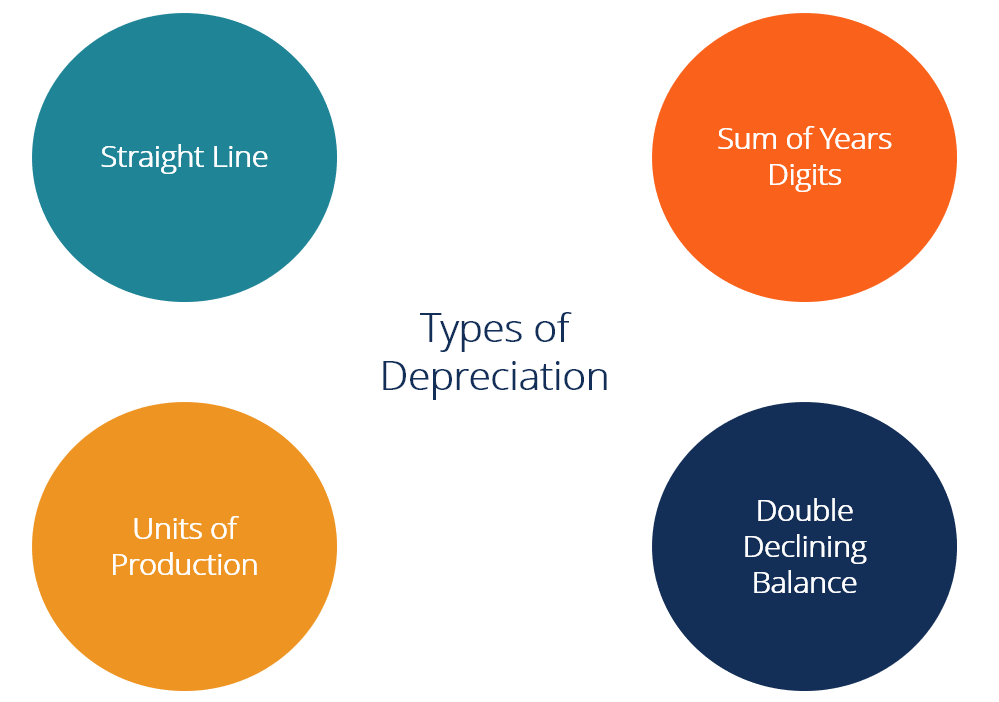
Types of Depreciation Methods. Different methods allocate an asset’s cost in varying patterns (evenly with straight-line, front-loaded with accelerated methods, or based on usage). Each method has its rationale and financial impact, affecting profit timing and tax. Companies often use straight-line for its simplicity and consistency, but will use accelerated or usage-based methods when appropriate to reflect how an asset’s value is consumed[6][7].
Journal Entry Examples: Regardless of method, the periodic entry to record depreciation is generally:
- Debit Depreciation Expense (P&L)
- Credit Accumulated Depreciation (B/S contra-asset).
For instance, if monthly depreciation on a machine is $1,000, each month: Dr Depreciation Expense $1,000; Cr Accumulated Depreciation $1,000[3][3]. Over time, Accumulated Depreciation grows, reducing the asset’s carrying amount.
If an asset is disposed, the depreciation for the final period is taken up to the disposal date. Then a disposal entry is made: remove asset cost (credit asset), remove accumulated depreciation (debit it), record any proceeds (debit cash or receivable), and the difference goes to Gain or Loss on Disposal[3][3]. Example: equipment cost $100k, accum. depreciation $80k, sold for $54k cash. Entry: Dr Cash $54k, Dr Accum. Depr $80k, Cr Equipment $100k, Cr Gain on Disposal $34k (because $54k proceeds – $20k NBV = $34k gain)[3][3]. Conversely, if proceeds were less than NBV, the difference is a loss (debit). These entries ensure the asset and related depreciation are fully removed and any gain/loss is recognized in income[3][3].
Depreciation and Tax Reporting: As noted, depreciation can significantly impact taxes. Tax authorities often prescribe specific methods or rates (often accelerated to encourage capital investment). The difference between book depreciation (for financial reports) and tax depreciation (for IRS/tax authority) can lead to deferred tax effects. For example, if tax depreciation is faster, early years see lower taxable income (tax savings) but the company might report higher book income (due to slower book depreciation). Over the asset life, total depreciation converges, but timing differences create deferred tax liabilities or assets on the balance sheet. Companies maintain reconciliation of book vs tax depreciation. In some ERPs (like NetSuite, SAP), this is handled by multiple depreciation books: one for corporate (book/IFRS) and one for tax, allowing parallel calculation.
From a compliance perspective, companies must disclose their depreciation methods, useful lives or rates, and total depreciation expensed in notes to the financial statements. Auditors check that useful lives are reasonable and that any changes in estimate are properly accounted for (prospectively) and disclosed. They also verify that no assets are over-depreciated or still carried when fully depreciated and not in use.
Key Takeaway: Depreciation is an essential concept that impacts both the profitability and asset values in financial reports. It offers a means to save on taxes (by deducting asset costs over time) but must be grounded in the asset’s actual usage and benefit pattern. Accelerated depreciation can reduce taxable income in early years[6], while straight-line offers simplicity and steady expense. Choosing the right method and correctly computing depreciation ensures fair presentation of financials and compliance with accounting standards. As one source notes, selecting a depreciation method can “significantly impact a business’s financial statements and tax obligations,” and should align with the nature of the asset and the company’s financial strategy[6].
Multi-Currency Asset Accounting
In today’s global economy, many companies purchase assets in foreign currencies or operate assets in multiple countries. Multi-currency asset accounting deals with how to record and report fixed assets when more than one currency is involved – whether it’s an asset purchased in a foreign currency, or assets held by subsidiaries whose functional currency differs from the group’s reporting currency. Two major considerations are: (1) accounting for foreign currency transactions (e.g., buying a machine in EUR for a company whose books are in USD), and (2) translating asset values for consolidated financial reporting if the company has foreign operations. The rules are defined by standards like IAS 21 in IFRS, and similar guidelines in other GAAPs, to ensure consistency in handling exchange rate effects.
Initial Recognition of Foreign Currency Assets: When a fixed asset is acquired in a foreign currency, the transaction is initially recorded in the entity’s functional currency using the spot exchange rate on the date of transaction[8][8] (IAS 21.21). For example, if a European subsidiary of a US company buys equipment for €100,000 and its functional currency is EUR, it records it at €100,000. But if a US-based company (USD functional currency) buys equipment priced in EUR, and the exchange rate on purchase date is €1 = $1.10, it records the asset at $110,000 on that date (and a corresponding liability if on credit). IAS 21 also allows a practical expedient of using an average rate for the period if rates don’t fluctuate significantly[8], but for a large one-time asset purchase, usually the spot rate on the transaction date is used for precision.
After initial recognition, how do exchange rate changes affect the asset’s book value? The crucial point: a fixed asset is a non-monetary item (its value is not a fixed number of currency units; it’s tied to its historical cost or fair value)[8]. According to IAS 21, non-monetary items carried at historical cost are not retranslated at each balance sheet date for exchange rate changes[8]. They remain at the original rate (historical cost in functional currency). This means once the USD functional company recorded that machine at $110,000, it will keep reporting it at $110,000 (minus depreciation) going forward, regardless of EUR/USD moves – unless some other event (like impairment or revaluation) triggers a remeasurement. Any monetary liabilities related (like an accounts payable for the machine if not yet paid) are revalued each period, giving rise to exchange gains/losses that go to P&L[8][8]. But the asset’s carrying value itself doesn’t change with forex rates if using historical cost.
Example: A US company’s functional currency is USD. It buys a machine for €100,000 on Jan 1 when EUR/USD = 1.1 ($110k). It records: Dr Asset $110k; Cr Accounts Payable $110k. By Feb 1, when it pays the supplier, assume EUR/USD moved to 1.2 (now €100k = $120k). The company will pay $120k to settle the payable. At payment, the Accounts Payable (monetary liability) is updated from $110k to $120k, and the $10k difference is an FX loss in P&L. The Asset remains at $110k on books (non-monetary, not updated for FX)[8][8]. The end result: the asset stays at the USD cost equivalent at purchase date, the extra $10k paid is recorded as a loss. If the rate had gone the other way (say 1.0, requiring only $100k to pay off $110k recorded payable), the $10k would be an FX gain. The asset’s value is insulated from currency fluctuations after initial recognition (unless you choose to revalue the asset entirely, see revaluation model later). As IFRScommunity succinctly states: “the PP&E item is carried at historical cost and is not subsequently retranslated to reflect exchange rate movements…”[8].
Non-Monetary Items at Fair Value: If a non-monetary asset is carried at fair value (for instance, if the company uses the revaluation model under IAS 16, or for investment property at fair value, etc.), and that fair value is determined in a foreign currency, then you translate that fair value using the rate at the date of measurement[8]. For example, suppose a UK company (GBP functional) owns land in the US, carried at fair value. If it revalues the land at $1 million on Dec 31 and GBP/USD is 0.75, it would record it at £750k. If next year rate changes and another valuation in USD is done, that new fair value would be converted at that time’s rate. Importantly, exchange differences in such cases aren’t separately recorded as FX gain/loss; they’re folded into the revaluation change. IAS 21 clarifies that for non-monetary assets measured at fair value, the treatment of any exchange difference is governed by the standard driving the measurement[8][8] – e.g., a revaluation surplus from a foreign PPE revaluation goes to OCI, and any FX effect is inherently in that OCI change.
Depreciation in Functional Currency: Once recorded, depreciation of the asset is computed in the functional currency on the functional-currency carrying amount. In the example, the $110k machine depreciates, say over 10 years, $11k/year in the US books. The company does not re-compute depreciation each month based on new exchange rates – it sticks with the functional currency amount. Thus, the income statement is not volatile to currency swings for that asset (aside from the one-time FX impact on purchase if payment timing differed). This stability is because fixed assets are treated as non-monetary. Contrast this with a monetary asset (like a foreign currency loan receivable) which would get revalued at each period-end, causing recurring FX gains/losses.
Consolidation and Presentation Currency: If the company has foreign subsidiaries, those subs will have their own functional currencies. When consolidating into a group (presentation) currency, assets on the subs’ balance sheets need to be translated. Under IFRS consolidation rules (IAS 21 for translating foreign operations), assets and liabilities of a foreign subsidiary are translated at the closing rate (end-of-period exchange rate) into the group’s presentation currency[8][8]. For example, a Saudi subsidiary (functional currency SAR) that holds a piece of equipment at SAR 100,000 net book value will translate to USD at the closing USD/SAR rate for the consolidated statements of the US parent. This translation adjustment does not affect the subsidiary’s local books, but it does create differences in the consolidated equity. Exchange differences arising from translating a foreign operation’s net assets to the parent currency are recorded in a special equity account, often called Cumulative Translation Adjustment (CTA) or Foreign Currency Translation Reserve (FCTR)[8][8]. These differences go to OCI (bypassing P&L) and accumulate in equity until disposal of the foreign operation[8][8]. This way, fluctuations in foreign asset values due to currency are reflected in equity and don’t distort the income statement. For instance, if a UK subsidiary’s £-denominated fixed assets gain value in USD terms because the pound strengthened, the increase is a positive CTA in consolidated equity.
To summarize that: within an entity’s own books – a fixed asset’s value is frozen at the historical exchange rate (if cost model)[8]. For group reporting – foreign entities’ asset values will move with exchange rates at consolidation, but those movements are kept in OCI (CTA)[8][8]. This aligns with IFRS and US GAAP practices ensuring that currency translation gains/losses from long-term assets don’t hit operational profit.
Functional Currency vs Transaction Currency: It’s important to differentiate the functional currency (the primary currency of the company’s environment) from a transaction (foreign) currency. IAS 21 requires that transactions in foreign currencies are initially recorded in the functional currency, as discussed, and any monetary items (like payables, receivables) are revalued at closing rates until settled[8][8]. The functional currency is determined by factors like the currency that influences sales prices, costs, and financing of the entity[8] – essentially the currency of the primary economic environment. Once set, the functional currency dictates how results are measured; foreign currency transactions are secondary. For fixed assets, typically a company’s functional currency is used for its asset ledger.
Multi-Currency Accounting in Practice: Modern ERPs allow companies to designate currencies for transactions and maintain base currency reporting. For example, in ERPNext or NetSuite, you can input a purchase invoice in a foreign currency; the system will either use a stored exchange rate or prompt for one to record the asset value in the company’s base (functional) currency[9][9]. Systems often have a currency exchange rate table that can fetch rates (some even integrate with FX rate feeds)[9]. Controls exist: e.g., ERPNext requires checking a “Multi Currency” option on journal entries that involve accounts of different currencies as a safety mechanism[10][10] – as seen when an asset in USD for a JOD-base company required enabling multi-currency for depreciation posting. This is to ensure proper handling and user awareness when debiting/crediting accounts in differing currencies.
Foreign Exchange Gains/Losses: As noted, when buying an asset on credit in foreign currency, the payable is monetary. Any difference between initial recording of the payable and actual payment goes to FX gain or loss in the income statement[8][8]. However, the asset’s recorded cost remains at the original rate. Thus, the overall cost in functional currency may end up slightly higher or lower than initially recorded once payment is done, with the difference absorbed as FX gain/loss. IFRS prohibits retroactively adjusting the asset’s cost for such exchange differences (except in rare circumstances such as hyperinflation or if using certain allowed alternative treatments for very specific cases). The logic is, once the asset is on books, it’s a non-monetary item.
One special scenario: if an entity uses the revaluation model and the asset is revalued in a foreign currency, the increase/decrease is handled per IAS 16 through revaluation surplus or P&L, as discussed, and any currency effect is inherently in that revaluation. Another scenario: impairment of a foreign-currency asset – since recoverable amount might be estimated in foreign currency, you’d compute that and then translate at the rate on the impairment test date, compare to carrying (which is at historical rate), any impairment loss is recognized in functional currency P&L.
Multi-Currency Presentation in Financials: Companies must disclose how they handle foreign currency items. IFRS requires disclosure of exchange differences recognized in profit or loss and in OCI, and the closing rates used, etc. On financial statements, typically fixed assets on the balance sheet are in the reporting currency. If notes present a fixed asset register, they might show the original currency cost and exchange rate used if relevant, especially for consolidated statements. In the Arab Gulf, currencies like Saudi Riyal or UAE Dirham are often pegged to USD, which simplifies some FX considerations (less volatility), but the accounting treatment remains as per IFRS: record at historical rate and no retranslation for local books. For international companies in volatile FX environments, managing multi-currency is more complex – some may use hedge strategies to lock in costs, but that’s risk management beyond accounting entries.
Foreign Subsidiary Example: Suppose a manufacturing subsidiary in the Gulf region (say in Oman, using OMR as functional currency) purchases a production line from Germany for €1 million. The Omani company will record that asset in OMR using the rate on purchase date. Let’s say at that date €1 = 0.4 OMR, so it records the asset at 400,000 OMR. It pays the supplier six months later, during which the euro weakened to 0.38 OMR. The accounts payable initially recorded at 400k OMR is now equivalent to 380k OMR at payment, so the payable is reduced by 20k and an exchange gain of 20k OMR is recognized (the equipment effectively cost less in OMR than originally booked). The equipment stays at 400k OMR on books (non-monetary, unchanged by rate movement). Now, if this Omani subsidiary reports locally, it shows the equipment at 400k cost, depreciating maybe 40k OMR/year over 10 years. If the group in the UK consolidates it, and at year-end OMR/GBP moved, the equipment’s value will be translated at the closing rate for group statements, and that difference goes to CTA equity. Thus, each stakeholder sees the asset in their own relevant currency: local management sees it in OMR, group sees it in GBP, and neither sees wild swings in P&L from FX after acquisition.
Summary of IAS 21 Rules for Assets:
- Use spot rate on transaction date to record asset cost in functional currency[8].
- Do not update non-monetary asset carrying amounts for subsequent FX changes (if at historical cost)[8].
- Depreciate based on functional currency cost (historical rate).
- Monetary liabilities (or monetary assets) related to the purchase do get revalued at closing rates until settlement, with FX differences to P&L[8][8].
- If asset is carried at fair value, translate at rate of valuation date[8].
- In consolidation, translate foreign asset values at closing rate and send differences to OCI (CTA)[8][8].
- Disclose significant FX impacts and ensure exchange rates used are consistently applied.
This disciplined approach avoids forex transaction risk on non-monetary items and segregates translation risk to equity[11][11]. By doing so, companies present “FX-neutral” operating results – the core depreciation and asset expenses are recorded in stable functional currency terms, while pure currency fluctuations show up either in FX gains/losses (for payables, etc.) or in translation adjustments. This provides clarity to management and investors, isolating operational performance from currency noise[11].
Multi-Currency Support in ERP Systems: All major ERP systems support multi-currency accounting. Typically, an ERP will have a base currency for each company or ledger, and allow transactions in alternative currencies with conversion. For example, in ERPNext, you can set an asset’s purchase invoice in a foreign currency and specify the exchange rate or let the system fetch it[9][9]. The system will post ledger entries in base currency (and often store the foreign currency amount in parallel fields for reference). Many systems also enable parallel currencies in the General Ledger – e.g., SAP S/4HANA’s new Financial Accounting can carry transactions in up to 3 currencies (local, group, and possibly transaction currency) simultaneously, posting asset values in each. Oracle and Dynamics allow setting up secondary ledgers or reporting currencies to automatically mirror transactions in another currency[12]. This is useful for multi-national groups that want real-time reporting in a common currency.
ERP asset modules also handle that depreciation runs and postings can occur in multiple currencies/books. For instance, SAP Asset Accounting (FI-AA) has depreciation areas which can be configured for different currencies (parallel currencies) – so one depreciation area could represent local currency accounting and another could calculate depreciation in group currency, ensuring that foreign subsidiaries’ asset values are available in both their local and the group’s currency for consolidation[13][14]. Oracle E-Business Suite had a feature called Multiple Reporting Currencies (MRC) to maintain subledger data in multiple currencies, and in Oracle Cloud, one would use Secondary Ledgers in another currency for IFRS/management reporting[15]. NetSuite OneWorld supports multi-currency subsidiaries, automatically converting transactions to parent currency for consolidation[16][17].
In summary, multi-currency asset accounting requires careful adherence to standards to avoid spurious profit impacts from exchange rates. IFRS provides a clear framework: fixed assets are valued at historical rates (unless revalued) and exchange differences are handled through proper channels (P&L for monetary items, OCI for consolidation translations)[8][8]. Enterprise systems, when configured correctly, enforce these rules – ensuring that even in a multi-currency environment, a company’s asset values and depreciation expenses are recorded and reported consistently and transparently.
Enterprise ERP Systems – Fixed Assets Handling (Comparative Review)
Modern Enterprise Resource Planning (ERP) systems include dedicated Fixed Asset Management modules that automate and streamline the lifecycle of assets – from acquisition to depreciation to disposal – integrating these processes with the general ledger and other modules (purchasing, maintenance, etc.). Here we compare how several popular ERP systems (ranging from those suited to small businesses to those for large enterprises) handle fixed asset accounting, depreciation, multi-currency, and related features. We will look at ERPNext, NetSuite, SAP, Oracle ERP, and briefly Microsoft Dynamics 365, outlining each system’s capabilities, strengths, limitations, and typical use cases (small vs. large company scenarios).
ERPNext (Frappe)
ERPNext is an open-source ERP popular with small and mid-sized organizations (including many in emerging markets). It offers a full Assets module as part of its core accounting application. Features and Capabilities:
- Asset Record & Lifecycle: ERPNext maintains an Asset master record for each fixed asset, which serves as the central place to track all transactions and information related to that asset[1]. When an asset is created, you input its details (item code, purchase date, cost, location, etc.). All subsequent events – purchase (link to Purchase Invoice/Receipt), depreciation schedules, transfers (location or custodian changes), maintenance logs, asset value adjustments (write-up/write-down), and eventually selling or scrapping – are recorded against this asset record[1]. This provides a 360° view of the asset’s history. ERPNext supports marking items as fixed assets and even auto-creating asset records when purchasing such items (if configured)[1][1]. For example, if you buy 5 laptops and flag them as assets, it can auto-generate 5 asset records upon receiving the Purchase Receipt, each with its own tag and serial if needed[1][1]. This is very useful for ensuring assets are recorded promptly and accurately.
- Depreciation Management: ERPNext provides robust depreciation automation. It supports multiple depreciation methods out-of-the-box – by default Straight Line and Written Down Value (which is basically declining balance) and Double Declining Balance, plus a Manual option for custom entries[18]. You define an asset’s expected life, salvage value, and choose the method; the system then generates a depreciation schedule. You can configure depreciation frequency (monthly, quarterly, annually)[18]. At each interval, ERPNext can automatically post the depreciation journal entry to the ledger (crediting the accum. depreciation account and debiting the depreciation expense account configured for that asset’s category)[18][18]. The automation ensures you don’t miss depreciation runs. ERPNext also supports partial depreciation (if an asset is acquired mid-period or first depreciation needs proration) and will stop depreciating once an asset is fully depreciated or reaches salvage. A nice feature is Finance Books: ERPNext allows multiple depreciation books for different purposes (e.g., one book for accounting/IFRS, another for tax or managerial depreciation)[18][18]. You can record depreciation differently in each book, accommodating scenarios where tax rules diverge from accounting.
- Asset Categories and Configuration: You define Asset Categories which template key settings for assets: e.g., “Vehicles” could have a 5-year straight-line depreciation, “Computers” maybe 3-year double-declining, etc. Categories also assign the linked accounts (asset account, depreciation expense account, accumulated depreciation account, gain/loss on disposal account) so that when you create an asset under that category, those accounts auto-fill. This enforces consistency and simplifies setup.
- Asset Value Adjustments: ERPNext supports posting appreciation or impairment (write-down) through “Asset Value Adjustment” documents[18][18]. For instance, if you revalue an asset upward, you can record an increase; the system will credit a revaluation equity account and adjust the asset’s value. For impairment, it will debit an impairment expense account and reduce the asset. These adjustments integrate with accounting so the books remain balanced. However, ERPNext’s UI might not automate the nuanced IFRS logic of split between OCI and P&L for revaluation – typically one would manually decide the accounting treatment.
- Transfers and Maintenance: The module tracks Asset Movements (e.g., transfer from one warehouse or department to another)[18][18] and can log maintenance activities through Maintenance Log, linking costs or just notes about repairs. This helps in operational tracking, though it’s not as elaborate as a full Enterprise Asset Management system. It’s sufficient for most SMBs to note when an asset was serviced or relocated.
- Asset Disposal (Selling/Scrapping): ERPNext provides flows for Selling an Asset and Scrapping an Asset[18][18]. In an asset sale, you can create a Sales Invoice or Journal Entry and tag the asset, and ERPNext will compute the gain or loss on disposal, auto-posting the required entries (remove cost, remove accum. depreciation, record proceeds, book gain/loss to the configured account)[19]. For scrapping (disposal with no proceeds or junk value), it will simply write off the remaining value to a loss account. According to the docs: “‘Gain/Loss Account on Asset Disposal’ will be credited/debited based on gain/loss amount. The Gain/Loss account can be set in Company record.”[19]. This shows ERPNext simplifies the accounting at disposal time.
- Reporting: ERPNext can produce asset registers, depreciation schedules, and other reports. There are built-in Asset Reports like Asset Register (listing all assets with cost, depreciation, current value), Depreciation Ledger, and perhaps maintenance due reports[18][18]. Because ERPNext ties assets to ledger entries, you can also easily generate accounting reports (trial balance of asset accounts, etc.). The system ensures an audit trail: each asset has links to its purchase invoice, depreciation entries, and disposal entries.
- Multi-currency and Multi-company: ERPNext supports multi-currency transactions – you can record asset purchases in a foreign currency invoice, and the system will convert to your base currency for accounting[9][9]. However, one limitation historically observed (as per user forum) is that depreciation entries involving foreign currency assets require the user to mark the entry as multi-currency if the asset’s account currency differs from company currency[10][10]. ERPNext has improved multi-currency handling over time, and as of recent versions, it even integrates a currency exchange service for up-to-date rates[9]. For multi-entity setups, ERPNext can handle multi-company accounting with inter-company transactions, and each company can have its base currency. It’s possible, for example, to have a UAE company using AED and a US company using USD in one ERPNext instance; the assets would be managed per company with their respective currencies.
Strengths of ERPNext: It’s user-friendly and integrated – great for small to medium businesses that want a full asset ledger without needing an army of consultants. Setting up an asset is straightforward, and automation of depreciation is a big plus (reduces manual journal work)[18]. The fact that it’s open-source and relatively cost-effective is a bonus for cost-sensitive organizations. It covers the full lifecycle (purchase to disposal) within one system, linking with purchasing and accounting, which ensures completeness of data[4][4]. ERPNext also offers flexibility (custom fields, etc.) if a company needs to track additional asset info (like insurance, serial numbers, etc.). For companies in manufacturing or those with significant assets, having maintenance logs and movement tracking integrated is valuable.
Limitations of ERPNext: Being aimed at SMBs, it may lack some advanced features that large enterprises need. For example, component depreciation (depreciating parts of one asset separately) isn’t clearly delineated, though one could manually create multiple assets. Support for multiple depreciation books exists (Finance Books) but might not be as battle-tested or rich as in SAP/Oracle – it’s a relatively newer addition for IFRS vs Tax accounting[18]. ERPNext might not handle extremely complex scenarios out-of-the-box, such as partial disposals with proportional allocation of cost and depreciation (though the Asset Split feature covers splitting an asset)[3][3]. Also, multi-currency depreciation could be tricky if, say, an asset’s account is denominated in a different currency – one forum post described errors in posting depreciation until the multi-currency flag was checked[10][10]. These are things a large ERP might handle more seamlessly with parallel currencies. Another limitation is scalability: ERPNext can handle tens of thousands of assets, but a very large enterprise with millions of assets or extremely high transactions might require more tuning or a bigger system. However, for its target market, ERPNext covers 80-90% of needs admirably, with continuous improvements from its open-source community.
Typical Use Cases: ERPNext is well-suited for small and mid-sized companies across various industries. For instance, a manufacturing company in the Arab Gulf region could use ERPNext to manage its machinery and vehicle assets. One Oman-based manufacturing firm reported improved efficiency by using ERPNext for its asset and manufacturing management[4]. The system would allow them to track assets from procurement to disposal within one platform, handle multi-currency purchases of equipment (common in Gulf where machinery might be imported), and comply with IFRS depreciation and local reporting. SMBs that cannot afford expensive ERP licenses find ERPNext a game-changer – it brings discipline of fixed asset accounting (no more spreadsheets) with minimal cost. In summary, ERPNext’s fixed asset module offers comprehensive lifecycle management with automation at a fraction of the complexity and cost of enterprise systems, making it ideal for growing businesses and even larger entities in developing markets that value flexibility and open-source.
Oracle NetSuite (Fixed Assets Management SuiteApp)
NetSuite is a cloud-based ERP popular among mid-market companies and rapidly growing firms (including many tech startups, SaaS companies, etc., and increasingly larger enterprises). Its core finance module originally did not include fixed asset accounting out-of-the-box, but Oracle NetSuite offers a Fixed Asset Management (FAM) SuiteApp that can be installed to provide a full asset module. Let’s discuss NetSuite’s fixed asset handling:
- Asset Management SuiteApp: NetSuite’s FAM module, once enabled, integrates with purchasing, accounts payable, and the general ledger. It automates the complete asset lifecycle from acquisition to disposal[5], aiming to eliminate the need for external spreadsheets. A key benefit noted is that it supports managing assets across multiple entities, currencies, and accounting standards centrally[5][5]. The SuiteApp provides a dashboard and forms for creating and tracking assets.
- Asset Creation: Assets in NetSuite can be created automatically from transactions or manually. For example, when you enter a Vendor Bill (supplier invoice) for a capitalizable item (like purchasing machinery), FAM can be configured to automatically generate a new asset record from that bill[5]. This uses item categories or account mapping: if an expense hits a fixed asset account, trigger asset creation. Alternatively, you can manually create an asset and link it to a purchase transaction or journal. This automation ensures no asset slips through without being recorded – a significant internal control advantage. NetSuite also supports asset creation via multiple sources: purchase orders, vendor bills, journal entries (e.g., if capitalizing a constructed asset via a journal)[5].
- Depreciation Automation: NetSuite FAM allows defining Depreciation Methods (straight line, declining balance, sum-of-years, units of production, etc.) and useful lives. It will then automatically calculate depreciation each period and post depreciation journals to the GL[5]. You can set conventions (like full-month or half-month conventions), depreciation start dates, and so on. The module can generate schedules and you can either have it post monthly automatically or on-demand. Importantly, NetSuite supports multiple depreciation books (“Multi-Book Accounting”) – which is one of its strengths for companies reporting under multiple frameworks (e.g., GAAP and IFRS, or book vs tax). With multi-book, an asset can have parallel depreciation schedules in, say, a Corporate Book and a Tax Book. NetSuite will keep track of both and allow reporting in either basis. This means a company can manage both IFRS depreciation and local tax depreciation simultaneously, which is crucial for compliance. The FAM SuiteApp fully integrates with NetSuite’s multi-book feature[5].
- Asset Classes and Templates: The FAM module provides for Asset Categories/Types where you define default depreciation methods, life, and accounts (similar to other ERPs)[5][5]. For instance, “Office Equipment” category might default to 5-year straight-line, etc. This standardizes data entry and reduces errors.
- Transactions – Transfers, Revaluations, and Disposals: NetSuite supports asset transfers between departments or subsidiaries (if within the same OneWorld environment). If transferring between subsidiaries (different legal entities), it can either treat it as an intercompany sale or transfer with net book value – depending on configuration. Revaluation or write-up/down can be done via an “Asset Revaluation” transaction in the SuiteApp, which allows you to increase or decrease an asset’s value and specify the accounting (gain to revaluation reserve or loss to expense). The module will then adjust future depreciation accordingly[5]. Impairments would be handled as a partial write-down similarly. NetSuite also handles asset splits and merges if needed (e.g., splitting one asset into two, or combining multiple low-value assets into a single asset for simplicity). For retirements/disposals, the module can process a sale or discard: you input the sales proceeds (if any) and it calculates the gain or loss and generates the GL entries to write off the asset and record the gain/loss[5][5]. It can even handle partial disposals (disposing some quantity of an asset, say you initially capitalized 10 identical items as one asset and then sell 2 of them – it can proportionately remove cost and depreciation).
- Audit Trails and Reporting: A notable feature of NetSuite FAM is auditability – each asset has an audit trail of all actions (creation, depreciation runs, changes, disposals). Standard reports include Depreciation Schedules, Asset Register, Asset Summary, etc. NetSuite’s reporting can consolidate asset data across subsidiaries if needed (great for group reporting). Also, being cloud-based, it offers real-time visibility to all asset data. The SuiteApp includes compliance features like ensuring no depreciation is missed and providing audit logs for each asset.
- Multi-Currency & Multi-Entity: NetSuite OneWorld is built for multi-subsidiary and multi-currency. Each subsidiary has a base currency, but you can transact in foreign currencies easily. For fixed assets, if a subsidiary buys an asset in another currency, the base currency value is recorded based on the rate on that date (and as discussed, that stays as historical cost). NetSuite will handle the depreciation in the subsidiary’s base currency automatically. If consolidating to a parent with different currency, NetSuite will translate the subsidiary’s results (including depreciation and asset balances) using the appropriate consolidation rate (assets at closing rate, depreciation at average rate typically – it’s compliant with GAAP/IFRS for translation). The system thus inherently supports multi-currency asset accounting and reporting. One resource highlights that NetSuite’s multi-currency feature supports 190+ currencies and can produce real-time consolidated financials in a parent currency[16][17]. In the context of fixed assets, that means a CFO can see, for example, the total net book value of all assets in USD across a multinational company, even if local books are in EUR, GBP, etc., with NetSuite handling currency conversion in the background.
- Multi-Book (Multiple Accounting Bases): This is a big advantage for companies in jurisdictions that have to report under two standards. NetSuite FAM with multi-book will let you maintain an IFRS depreciation schedule and, say, a local GAAP or tax schedule for the same asset concurrently[5]. You can then produce financial statements or depreciation reports under either basis at the click of a button. This is extremely helpful for companies operating in places like the Middle East where they might need IFRS for group and maybe local regulations for statutory/tax, or for US-based multinationals needing GAAP vs tax.
Strengths of NetSuite: It’s a cloud solution, so updates (like new depreciation rules or currencies) are automatically available. The Fixed Asset module is quite comprehensive after years of improvement – covering lifecycle fully: “automates depreciation, manages asset transfers and disposals, and ensures compliance; all within one system, eliminating spreadsheets”[5]. NetSuite’s strength is in integration: fixed asset accounting is tied to purchasing (so assets are captured when bought), tied to the GL (depreciation and disposal entries seamless), and tied to financial reporting (multi-book, consolidation). NetSuite is also relatively user-friendly with a modern interface and good dashboards for asset managers. For mid-size firms, it offers enterprise-grade capabilities (multi-currency, multi-entity, audit trails, role-based access) without the heavy IT overhead of something like SAP. Also, being highly configurable, businesses can tailor depreciation methods, conventions, and asset categorization to their needs easily from the UI.
Limitations of NetSuite: The FAM module is an add-on SuiteApp – in some cases it might cost extra or require enabling (though Oracle often bundles it now for larger editions). Early versions of FAM had some quirks and performance issues with large volumes, but these have improved. Still, if a company has hundreds of thousands of assets, they’d want to ensure NetSuite can handle the depreciation runs efficiently (which it generally can, but may not match the sheer industrial strength of SAP which is designed for millions of assets and deep customization). Another limitation might be in extremely complex scenarios – e.g., if you need to depreciate one asset differently in 4 or 5 different books (NetSuite multi-book usually covers up to 3 or so statutory books per subsidiary). Also, NetSuite being multi-tenant cloud, some customization (like very custom asset reporting or complex integrations) might be less flexible than an on-prem system. However, these are minor for most use cases.
Typical Use Cases: NetSuite is often used by mid-market companies and divisions of enterprises. For example, a regional manufacturing company or a global e-commerce firm might choose NetSuite OneWorld to manage finances across subsidiaries. If such a company has, say, a manufacturing plant in one country (with heavy machinery) and offices in others (with IT equipment and vehicles), NetSuite can manage all those assets in one place. Case Study: A good illustrative case is a company like Paysend, a fintech that used NetSuite OneWorld to centralize financial data for multi-country operations[20]. While not manufacturing, it highlights multi-currency – but a manufacturing example could be a company that has production equipment in multiple countries: NetSuite would allow tracking each asset in its local subsidiary, depreciating per local rules, and then consolidating. Another scenario: a multi-location healthcare provider implemented ERPNext (similar SMB context) for multi-currency and multi-company asset management[21]. For NetSuite specifically, many tech companies going global adopt it – they might not have huge PPE, but those that do (like companies that own data center equipment globally) find FAM useful to keep track of servers, etc. Strength in multi-subsidiary support means if a company grows by adding foreign entities, NetSuite scales with them, whereas something like ERPNext might require more manual setup.
In summary, NetSuite’s Fixed Asset Management provides a robust, automated solution for asset lifecycle with the cloud advantage. It brings enterprise-level features (multi-book, multi-currency, multi-entity, audit controls) in a package accessible to mid-sized firms. It’s ideal for companies outgrowing basic accounting software and spreadsheets, who need stronger internal controls and multi-entity consolidation.
SAP (Financial Asset Accounting – FI-AA)
SAP (particularly SAP ERP ECC and S/4HANA) is known for its deep and comprehensive Financial Accounting modules. SAP’s Asset Accounting (FI-AA) is a sub-ledger integrated with SAP’s Finance module and is widely used by large enterprises and complex organizations (manufacturing, utilities, etc.). It is very feature-rich and highly configurable to meet various accounting requirements around the world. Key aspects of SAP’s fixed asset handling:
- Integration and Master Data: SAP’s asset management is tightly integrated with other modules: you typically purchase assets via the MM (materials management) module, linking to FI-AA so that when a capital goods PO is received, an asset under construction or final asset can be created. The heart is the Asset Master Record – similar concept to others, it stores details of each asset: asset class, description, location, cost center allocation (for depreciation expense tracking by department), etc.[22][22]. Assets are organized by Asset Class which governs their default depreciation rules and GL accounts. For example, Asset Class 1000 – “Plant Machinery” might be linked to GL account for Plant & Equipment, a depreciation key for 10-year straight-line, etc. You can have thousands of asset masters; SAP is designed to handle large volumes (organizations with 100k+ assets). The asset master also allows component structure (main asset with sub-numbers for components).
- Asset Lifecycle in SAP: SAP FI-AA provides functionality for the entire lifecycle[22][22]. Highlights:
- Acquisition: Assets can be acquired through external purchase (PO/vendor invoice), internal production (capital projects – integrated with Investment Management/Projects System), or direct FI journal. When posting an acquisition, SAP records the value in the asset sub-ledger and automatically posts to the appropriate Asset GL and offset (AP or bank)[22]. There is support for acquisition on specific dates, and it can calculate depreciation start accordingly (SAP by default uses value date for start of depreciation, with options for half-month conventions etc. as config).
- Depreciation Calculation & Posting: SAP automatically calculates depreciation via configured Depreciation Keys which can embody straight-line, declining balance, multi-level rates, etc. (SAP’s depreciation key configuration is extremely flexible – e.g., you can set a declining balance switch to straight-line when it yields higher expense, etc.). Depreciation is generally run as a batch job periodically (often monthly). The Depreciation Run program will calculate depreciation for all assets and post one aggregated entry per depreciation area (or asset if needed) to the GL[23]. It updates the Asset values and posts to expense and accum. depreciation accounts. SAP ensures these postings are consistent with accounting principles and allows various conventions[22][22]. The depreciation is tracked in depreciation areas which represent different bases (more on that soon). SAP also handles special depreciation (like bonus depreciation or accelerated rates for tax) and unplanned depreciation (impairment) through separate transactions.
- Mid-life Adjustments: If an asset’s useful life needs change, or its value needs to be increased (subsequent acquisition) or partially retired, SAP has transactions for adjustments[22][22]. For example, you can post an “unplanned depreciation” to write it down (impairment), which immediately hits the asset value and records an expense. Or you can change the useful life in the asset master and SAP will prospectively recalc remaining depreciation (accounted for as change in estimate under IAS 8). Revaluations under IFRS can be handled via an Revaluation program (moving asset to fair value and adjusting equity); historically many SAP users in IFRS contexts used a separate depreciation area to handle the revaluation increment.
- Transfers: SAP allows transferring an asset’s value to another asset or between company codes. For internal transfers (like moving an asset from one cost center to another or one asset class to another within same company), you can do an asset transfer posting which reassigns the remaining value. If moving across company codes (entities), it can do an intercompany asset transfer by retiring it from one and acquiring in another, possibly recognizing a intercompany sale.
- Retirement/Disposal: When disposing of an asset (sale or scrap), SAP’s transaction will remove the asset’s cost and accumulated depreciation, ask for sale proceeds if any, and compute the gain or loss[22][22]. It posts the necessary entries (debit cash, debit accum dep, credit asset cost, credit gain or debit loss). SAP even has functionality to handle partial retirement (retiring a portion of asset value, say you dismantle part of a composite asset). You can retire by quantity or percentage, and SAP will proportionally remove cost and depreciation. This is handy for assets capitalized as a group.
- Reporting: SAP provides a wealth of standard reports: Asset Explorer (drill-down on one asset’s transactions and depreciation schedule), Asset History Sheet (a comprehensive report showing beginning balance, acquisitions, disposals, depreciation, ending balance for each asset or class)[22][22], depreciation comparison reports, etc. The Asset History Sheet is often used for financial statement disclosures, and SAP can configure it to match local reporting formats. SAP also can produce tax reports if separate depreciation areas for tax are maintained. Because SAP stores each depreciation area’s values, reporting under different bases is straightforward. Additionally, SAP has tools for physical inventory integration (tracking if assets have been verified on site) and can integrate with barcode/RFID for asset tracking[22].
- Parallel Accounting & Multi-Currency: One of SAP’s strongest features is handling parallel accounting via Depreciation Areas. A depreciation area in SAP represents a set of accounting rules (e.g., book accounting, tax accounting, IFRS accounting, local GAAP accounting). For example, Depreciation Area 01 might be local GAAP (posting to leading ledger), Area 30 might be IFRS (posting to non-leading ledger or just for reporting), Area 15 might be Tax (not posting to GL, just tracking values). You can configure depreciation keys differently per area if needed. This allows a single asset master to have multiple valuation bases. For instance, an asset could have 10-year life in Area 01, but maybe accelerated 5-year in Area 15 for tax. SAP will maintain two sets of values and depreciation schedules. This ensures compliance with multi-GAAP requirements – something essential for large firms operating under e.g., local GAAP vs IFRS concurrently[24][25]. With S/4HANA, SAP improved this via Universal Journal that can hold multiple valuations and ledger group postings.
- In terms of multi-currency, SAP can manage up to 3 currencies for each asset posting (for example: local currency, group currency, and maybe transaction currency). If parallel currencies are set in the GL, when you post an asset acquisition, SAP will record values in all configured currencies (using exchange rates from its rate tables). Depreciation then is calculated in each currency as well. SAP ensures that the depreciation in group currency, for instance, is based on the asset’s group currency historical cost, and it will follow the same pattern (thus it doesn’t introduce exchange gains/losses each period, it’s essentially doing what IFRS says: use historical rate for non-monetary in that currency and depreciate that)[13][14]. If you use group currency depreciation area, at consolidation you have readily available the depreciation and asset balances in group currency, which simplifies consolidation adjustments (no need to recompute fixed asset translations, though under IFRS you’d typically still translate at closing rate for consolidation – however, SAP’s approach means your group currency ledger will show translation differences in equity automatically). All in all, SAP’s multi-currency handling is very advanced – appropriate since many large SAP customers are multinationals. It even has features like index-based revaluation for inflation accounting or currency devaluation scenarios (IAS 29 hyperinflation accounting).
- Advanced Features: SAP FI-AA shines with advanced capabilities often needed by large enterprises:
- Component Accounting: You can split an asset into components (sub-assets) with different depreciation (e.g., an aircraft can have engines as separate depreciable parts). IFRS requires component depreciation for significant parts[2], and SAP supports this by allowing multiple asset master records linked or using asset sub-numbers.
- Asset Under Construction (AuC): SAP has robust support for assets in progress. Companies often accumulate costs (via Investment Orders or WBS projects) which settle into an AuC asset. When the asset is ready, a simple transfer places the value into a completed asset, and depreciation begins. This keeps construction costs separate from depreciable assets until ready (following IAS 16’s rule that depreciation begins when asset is available for use).
- Leased Assets: With the new leasing standards (IFRS 16/ASC 842), SAP provides solutions (either via its Real Estate module or Lease Accounting engine) to handle right-of-use assets. But even in core FI-AA, one could manage finance lease assets historically. There are also features to handle asset retirement obligations (like decommissioning costs) by capitalizing and amortizing those (some use SAP provisions).
- Mass Processing: SAP can process large volumes in batch – mass changes of useful life, mass transfers, or mass disposals. This is crucial for companies with many assets.
- Physical inventory integration: As noted, SAP can integrate with barcode/RFID systems to reconcile physical asset counts with the books[22].
- Extensibility: You can attach documents to asset master (like pictures, manuals), maintain custom fields (e.g., serial number, responsible person), and integrate with maintenance modules (like SAP PM – Plant Maintenance – to link maintenance orders to assets).
- Strict Control: SAP ensures that financial postings and asset sub-ledger are always reconciled. In SAP, the asset subledger is always in sync with GL because transactions simultaneously update both (no manual GL entries allowed that would diverge).
Strengths of SAP: Simply put, breadth and depth. SAP FI-AA has been developed and refined over decades and can handle virtually any scenario: complex tax depreciation laws (via depreciation keys), multi-GAAP, multi-currency, huge volumes, detailed reporting, etc. It is highly compliant – used by companies globally, it supports IFRS, US GAAP, and many local requirements via configuration (for example, you can set up half-year conventions for US, inflationary adjustments for certain countries, etc.). For large enterprises especially, SAP provides the scalability and controls needed: you can trust that every asset transaction hits the books correctly. Also, integration with SAP’s ecosystem (MM, PM, CO) means assets are not an isolated module; they fit into the whole enterprise process flow (procurement to fixed asset to depreciation to cost accounting, etc.). Another plus is auditability – SAP logs changes, and the Asset History reports provide clear movement schedules that auditors love[22].
SAP’s multi-currency and parallel ledger capability is particularly beneficial for say, a multinational manufacturing company that has to produce both local statutory statements and a consolidated IFRS report – SAP can produce both from one system with minimal manual adjustments[22][22]. Many Fortune 500 industrial and oil & gas companies rely on SAP for precisely these reasons – e.g., Saudi Aramco’s joint ventures like SASREF implemented SAP to handle their operations and finance, benefiting from integrated product costing and asset management[26][26].
Limitations of SAP: The flip side of SAP’s power is complexity and cost. Implementing SAP FI-AA requires knowledgeable consultants to configure asset classes, depreciation keys, areas, etc. It’s not as out-of-the-box for a small company – typically, a smaller firm wouldn’t use SAP at all given the investment needed. SAP’s user interface historically was more transactional (though Fiori apps in S/4 have improved usability), meaning it’s not as intuitive to a new user as, say, ERPNext or NetSuite. Also, flexibility comes with constraints – e.g., once an asset is capitalized, changing its class or depreciation area requires careful posting or sometimes isn’t allowed without resetting data. Companies must also carefully plan data migration to SAP if coming from another system (to populate the accumulative values correctly).
For very unique requirements, sometimes SAP’s standard functionality may require custom development. For instance, IFRS requires componentization – SAP handles that by multiple assets; some might want a more hierarchical view. But usually SAP can be bent to the task. Another potential limitation: cost – licensing SAP for asset management is part of core FI, but the bigger cost is implementation and maintenance. Also, if a company only wants a fixed asset solution and not a full ERP, SAP isn’t modular in that sense (though SAP has Business One for smaller cos, and one could theoretically just use FI/AA, but typically you get the whole suite).
Typical Use Cases: SAP is typically seen in large enterprises, multi-nationals, and asset-intensive industries. For example, a large manufacturing conglomerate in the Gulf might use SAP to manage its assets across various plants. They might have thousands of assets (machines, vehicles, buildings) across subsidiaries in different countries. SAP would allow them to maintain each subsidiary’s ledger in local currency, depreciate per local rules, and also maintain an IFRS ledger. The system can handle special regional needs (like in some Gulf countries, WDV method is popular for tax). Case Study Example: Consider a Middle Eastern oil & gas company – they have extremely high-value assets (refinery units, pipelines) with complex accounting (some are joint ventures). SAP is frequently the go-to ERP in oil & gas; it can manage their massive asset base and integrate with maintenance. In fact, companies like Saudi Aramco and its JV’s have used SAP to achieve better visibility and control over assets, as SAP’s own materials indicate improved asset utilization and shutdown control through better data[26][26]. Another example is a global automotive manufacturer – they operate in dozens of countries, each with different depreciation rates and currencies. SAP’s parallel ledger and depreciation areas make it possible for one unified system to produce local books and one global book, a huge efficiency in global consolidation.
In summary, SAP Asset Accounting is the gold standard for comprehensive fixed asset management in large-scale, complex environments. It offers unparalleled functionality and compliance capabilities, at the cost of higher complexity. For a large enterprise requiring precision and integration (e.g., manufacturing, oil & gas, utilities, transportation), SAP is often chosen because it can model their asset accounting with all the nuance required – from tracking every last bolt in a plant to consolidating multi-currency financials. It is often considered overkill for small companies, but for big ones, its strengths align perfectly with their needs.
Oracle ERP (Oracle E-Business Suite & Oracle Cloud ERP)
Oracle’s ERP solutions also provide robust fixed asset management. Historically, Oracle E-Business Suite (EBS) had a module called Oracle Assets, and more recently Oracle Cloud ERP has a Fixed Assets module. We’ll outline their general capabilities (they are similar in philosophy to SAP’s, with some differences).
- Oracle Assets (E-Business Suite): In Oracle EBS, Fixed Assets is part of the Oracle Financials suite. It covers four main processes: Additions, Adjustments, Depreciation, and Retirements[27][27]. This aligns with the lifecycle we discussed. Oracle Assets provides asset tracking integrated with Oracle Payables (you can create assets from AP invoices), and Oracle Projects (to capture construction in progress). Key features:
- Additions: You add assets either manually or from AP invoices. Oracle Assets had a concept of Asset Books – e.g., a corporate book, a tax book. You would add an asset to a book (or link books for same asset with different conventions). When adding, you specify category, cost, date, depreciation method, etc.
- Depreciation: Oracle calculates depreciation through a depreciation engine. You run depreciation periodically. The formulae and methods available are similar (straight line, DDB, SYD, units, etc.). Oracle can handle prorated conventions (like mid-month, following month, etc.). Depreciation can be run for each asset book, and Oracle Assets will not let you close a period until depreciation is run (ensuring no pending depreciation).
- Adjustments: If you need to adjust asset cost (add cost, or credit some cost), Oracle handles it as an “Adjustment” transaction. Changing useful life or method is also an adjustment. These can trigger catch-up depreciation or prospectively change future depreciation.
- Retirements (Disposals): Oracle can process full or partial retirements. For a sale, you enter proceeds and it calculates gain/loss. Oracle can also interface with Oracle AR if you generate an invoice for the sale of an asset. There’s an option to automatically create accounting entries for retirements (debit asset clearing, credit asset cost, etc.).
- Revaluations: Oracle Assets allows revaluation of asset costs – for example, applying an index to increase asset values (commonly used in some countries for inflation or just to reflect current cost). These revaluations can be done across many assets by a % or index. Oracle also has functionality for impairments (especially in newer versions/Cloud – where you can write down assets).
- Mass Transactions: Oracle supports mass additions (through AP), mass changes, and even mass disposals (retire a group of assets).
- Multiple Books & Multi-Currency: Oracle EBS introduced the concept of Multiple Reporting Currencies (MRC) and later Secondary Ledgers. Essentially, like SAP, Oracle allowed maintaining separate asset books for different purposes and currencies. For example, you might have a USD Corporate book and a EUR Statutory book. Oracle would let you link assets so that when a transaction happens in primary, it can mirror in secondary (with converted currency). Oracle’s Multiple Reporting Currencies documentation specifically explains how to handle assets in reporting currencies[28]. One best practice was: if you have an MRC set up, run depreciation in primary, then separately run depreciation for the reporting currency book[29] – indicating it keeps them separate but consistent. Oracle Cloud ERP likely streamlines this with its ledger concept (primary ledger vs secondary).
- Integration: Oracle Assets integrates with GL, AP, AR, and Projects. For instance, you can accumulate CIP costs in Oracle Projects and on project completion, Oracle Assets can create a fixed asset out of those costs (transfer from CIP to fixed asset). It’s similar in concept to SAP’s AuC with projects.
- Oracle Cloud ERP Fixed Assets: The cloud version is the evolution of EBS. It is browser-based and has added features like a more modern UI, maybe AI-driven suggestions, etc., but fundamentally covers the same processes (add, depreciate, adjust, retire). Oracle Cloud supports Multi-Book Accounting natively – meaning you can account for transactions in multiple ledgers with different rules. For fixed assets, you define asset books that correspond to each ledger (like IFRS book, local GAAP book). The system will depreciate each book accordingly. Multi-currency is built in: if an asset is added in a foreign currency, the primary ledger and reporting ledger values are maintained. One piece of Oracle documentation (“Fixed Assets Balance Initialization for New Reporting Currencies”) suggests they allow adding a reporting currency after transactions have happened and can back-calc asset balances in that currency[30] – useful if you add a new consolidation currency.
- Feature Highlights: Oracle’s strength historically was ease of use for finance departments and strong standard reports. For example, Oracle Assets has standard reports like Asset Register, Asset Reconciliation (ensuring subledger ties to GL), Depreciation Projection (to see future depreciation which is useful for budgeting), and Tax reports if needed. A user can query assets by many fields easily. Oracle also had some unique features like Asset Workbench which allows viewing and editing assets in one place.
- Comparative to SAP: Oracle’s approach with books is conceptually similar to SAP’s depreciation areas, though sometimes users found Oracle a bit more straightforward to configure for multiple books (at cost of maybe duplicating data). SAP posted all parallel values in one asset master (which is efficient but complex to configure), whereas Oracle might have you maintain a separate asset book for tax (with possibly separate asset IDs or at least separate entries). Both achieve the goal. Oracle’s system also robustly handles corporate vs tax depreciation differences (like Sec.179 or bonus depreciation in US tax, via a tax book that has those rules). Many US companies liked Oracle Assets for handling federal and state tax depreciation intricacies.
Strengths of Oracle ERP (Assets): It is comprehensive and proven, used by many large enterprises (Oracle EBS was common in industries like tech, retail, etc., while SAP was more common in heavy manufacturing, but there’s overlap). Oracle’s fixed asset module effectively enforces “an effective way to track assets for financial and reporting needs.”[27][27] – that’s from Oracle docs, emphasizing tracking and reporting. The integration with Oracle’s suite means assets flow from purchasing to GL seamlessly. It also has good support for global deployments (multi-currency, multi-ledger). Oracle is known for strong financial controls – the subledger to GL reconciliation is tight, and their Subledger Accounting (SLA) engine (in newer versions) allows customizing accounting rules if needed. For example, you can tell the system how to derive accounts or how to handle certain transactions differently for GAAP vs IFRS ledger.
From a user perspective, Oracle’s UI (especially Cloud) might be more modern now than SAP’s traditional GUI, making it somewhat easier for finance staff to navigate asset tasks without needing to know transaction codes. Oracle Cloud also touts features like role-based dashboards, and potential automation via AI (though not sure if specific to assets yet).
Limitations: Historically, implementing Oracle EBS could also be complex and required consulting, though perhaps slightly less heavy than SAP. Still, a smaller company might find Oracle too large-scale. Oracle Cloud ERP aims to be more accessible to mid-size firms but it’s still an enterprise system. One limitation is if a company heavily customized in EBS (say custom asset depreciation formulas), moving to Cloud might require adapting to standard. Additionally, Oracle’s multiple books approach can create a lot of data duplication – e.g., an asset in 3 books might require 3 depreciation runs, whereas SAP does one run updating 3 areas. But with today’s computing, that’s minor.
Also, Oracle’s ecosystem for maintenance isn’t as unified as SAP’s (SAP’s strength is one vendor for ERP and plant maintenance system; Oracle might integrate with third-party or have Oracle Enterprise Asset Management as a separate module that must be integrated).
Typical Use Cases: Oracle ERP is used by both large and medium companies. For instance, a large tech company or retailer with international presence might use Oracle Cloud ERP to manage their stores or data center assets. They benefit from multi-currency and multi-ledger as they likely report to US GAAP and local standards. Another example: Manufacturing firms in the Gulf historically have used Oracle EBS (some government entities, utilities, etc.). Oracle’s local presence and partner network in the Middle East was strong, so there are Gulf manufacturing companies on Oracle. They would use Oracle Assets to keep track of plant equipment, vehicles, etc. Because IFRS is prevalent in the Gulf, they’d set up IFRS as their primary book. If they also wanted, say, to calculate depreciation as per old local rules (for internal purposes), they could use a secondary book.
For instance, consider an industrial manufacturing company in the UAE with multiple factories and a headquarters. They could have Oracle Cloud ERP – one ledger in AED (for local books) and maybe also maintain USD reporting ledger if parent is in USA. They buy machinery from Europe (multi-currency purchase: Oracle logs the asset in AED and knows the EUR cost, etc.). They depreciate per IFRS (maybe straight-line) in primary book. For tax (UAE doesn’t have corporate tax until recently; but if it was Saudi, they might have tax rules e.g., some accelerated allowances), they could have a tax book applying different rates. They track hundreds of assets and rely on Oracle’s reports to file insurance claims, do audits, etc. That’s a typical scenario where Oracle suits well.
Oracle, like SAP, is also found in oil & gas and utilities (though SAP more so). But Oracle has a presence – e.g., Petroleum Development Oman (PDO) uses Oracle EBS historically. Those industries appreciate robust asset accounting because of huge capital outlays and the need for precise depreciation (especially for cost recovery, joint venture accounting, etc., which Oracle can handle with additional modules).
In summary, Oracle’s fixed asset modules (EBS and Cloud) are powerful, enterprise-grade solutions that ensure accurate tracking of assets and compliance with multiple accounting frameworks. They shine in environments where multi-currency and multi-standard accounting is needed, similar to SAP. Companies that chose Oracle often did so for an integrated suite covering financials, and find that Oracle Assets meets their needs for asset lifecycle management with automation akin to SAP’s but perhaps with slightly easier financial user interface. Oracle Cloud’s continuous updates mean features like IFRS16 lease handling or new tax law changes get incorporated, keeping it up to date with compliance.
Microsoft Dynamics 365 (and others)
Another player is Microsoft Dynamics 365 Finance & Operations (formerly AX), used in many mid-to-large organizations. Dynamics 365 also has a fixed asset module with capabilities for asset management and depreciation. It supports multiple depreciation books, multiple currencies, and integrates with purchasing. For instance, Dynamics has an “Acquire to Dispose” process blueprint covering asset strategy, acquisition, internal asset management, and retirement[31]. It too allows tracking assets by category, automating depreciation posting, and handling transfers and disposals. One feature in D365 is its integration with other D365 modules – for example, linking with maintenance or field service. Microsoft’s documentation emphasizes aligning the asset process with other business processes (like procurement and project accounting)[31][31]. For example, you can use D365 Projects to accumulate costs and then create a fixed asset once ready, similar to SAP/Oracle.
Strengths of Dynamics include a user-friendly interface (especially for those familiar with Microsoft), flexibility, and often lower total cost than SAP/Oracle. It’s often chosen by mid-sized companies or those that want quicker deployment. It can handle multi-currency as well – D365 Finance can maintain accounts in dual currencies and has consolidation features.
Other notable solutions:
- Infor (e.g., Infor CloudSuite / formerly Lawson): has fixed asset modules used in public sector and healthcare often.
- Sage Fixed Assets: a specialized fixed asset software sometimes used by SMBs or as a bolt-on for those who outgrew spreadsheets but don’t have a full ERP.
- Epicor, JD Edwards (now Oracle JD Edwards): also have robust asset accounting for the manufacturing sector.
Given the scope, we focused on key examples (ERPNext, NetSuite, SAP, Oracle, plus a nod to Dynamics). Each system has its strengths in certain market segments:
- ERPNext: small companies and emerging markets, simplicity and cost-effectiveness.
- NetSuite: fast-growing mid-market, cloud convenience, multi-entity agility.
- SAP: large complex enterprises, heavy industry, maximal functionality and control.
- Oracle: also large and upper mid-market, strong financial and multi-standard accounting focus.
- Dynamics 365: mid to large enterprises that prefer Microsoft tech stack, somewhat between NetSuite and SAP in scale, often used in distributed enterprises (e.g., multi-country subsidiaries of a corp or upper mid-size firms).
Strengths & Limitations Summary Table:
| ERP SystemStrengthsLimitationsTypical Fit | |||
| ERPNext (SMB-focused) | Easy to use; full asset lifecycle (purchase to scrap) with automation; Finance Book feature for multi-reporting; low cost (open source); flexible customization.[18][1] | Lacks some advanced features (complex multi-book, component depreciation); scaling to very large asset volumes can be challenging; relies on community support for niche requirements. | Small to mid businesses, including manufacturing, services; cost-conscious firms in emerging markets (e.g., a Gulf SME manufacturer using IFRS and needing basic multicurrency). |
| NetSuite (Cloud mid-market) | Cloud-based (low IT overhead); robust multi-subsidiary & multi-currency consolidation; multi-book for parallel GAAP; automated asset creation from transactions; good reporting & UI.[5][5] | Additional SuiteApp installation (though often bundled); might incur extra cost; for very large enterprises, some limits in heavy customization or handling extremely high volumes vs SAP; reliance on internet. | Medium-sized enterprises, high-growth companies, multi-country businesses needing quick deployment. E.g., regional retail chain, global e-commerce, mid-size manufacturer with international operations. |
| SAP S/4HANA (Enterprise) | Comprehensive functionality (parallel ledgers, multi-currency, tax books, component depreciation); extreme scalability; tight integration with operations; proven compliance with IFRS/GAAP globally.[22][22] | High complexity, high cost; implementation requires expert consultants; less suitable for small firms; historically less intuitive (improving with Fiori UI). | Large enterprises, asset-intensive industries (oil & gas, manufacturing, utilities), or any company needing rigorous control and multi-GAAP reporting at scale. E.g., petrochemical company with plants in multiple countries (IFRS and local GAAP), thousands of assets. |
| Oracle ERP (EBS / Cloud) | Strong financial orientation; multiple books for different standards; good tax depreciation handling; multi-currency and reporting currencies support; integration with Oracle’s suite; cloud version improves usability.[27][12] | Also complex (though a bit less than SAP); transition to Cloud requires re-learning some processes; mid-market companies may find it heavy without sufficient IT support. | Large and mid-large companies, especially those already using Oracle tech. E.g., a global tech firm for its corporate finance, or a Middle Eastern conglomerate using Oracle Financials for multi-industry asset tracking. |
| Dynamics 365 (Microsoft) | User-friendly (modern interface, Office 365 integration); flexible deployment (cloud/on-prem hybrid possible); decent multi-currency and multi-ledger support; easier to implement than SAP; strong partner network. | Some advanced features may need third-party solutions; not as deep in out-of-box industry-specific needs as SAP; medium scalability (handles large business but very huge volumes might strain without optimization). | Upper mid-market to some large enterprises, especially those aligned with Microsoft stack. E.g., a multi-country distribution company or a manufacturing firm wanting a balance of functionality and usability. |
Each system can handle the fundamentals of fixed asset accounting (acquisition, depreciation, disposal), but choosing the right one depends on company size, complexity, industry, and budget. For a manufacturing SME in the Arab Gulf, ERPNext or Dynamics 365 might suffice. For a huge petrochemical enterprise, SAP or Oracle is more fitting. NetSuite often appeals to those in between who want advanced capabilities without the on-premise burden.
Practical Implementation & Best Practices
Successfully managing fixed assets in an ERP requires not only the right software features but also following best-practice processes during setup and day-to-day operations. This section outlines practical steps for implementing fixed asset accounting and depreciation in an ERP, and compares how different systems handle these steps (highlighting any automated vs manual aspects). We also cover best practices for multi-currency asset purchases and controls to ensure accuracy.
Setting Up Fixed Asset Accounting in an ERP
When implementing fixed assets in any ERP, you’ll generally follow these steps:
- Define Asset Categories and Accounts: Start by determining your asset categories (sometimes called classes or types). These could be based on financial reporting needs (Land, Buildings, Machinery, Vehicles, Computers, Furniture, etc.) or management needs. In the ERP, configure each category with the appropriate GL accounts:
- Asset cost account (balance sheet).
- Accumulated depreciation account (balance sheet).
- Depreciation expense account (P&L).
- Possibly a disposal gain/loss account (P&L).
- Also assign default depreciation method and useful life for each category if the ERP allows (most do). For example, “Vehicles” category: 5-year useful life, straight-line; “IT Equipment”: 3-year double-declining, etc. This ensures when assets are added, these defaults apply, maintaining consistency[5][5].
- Initial Data Migration (if applicable): If this is a new ERP implementation, you’ll need to bring in existing asset records. Best practice is to load:
- Asset master data (name/description, category, acquisition date, original cost, etc.).
- Cumulative depreciation to date (and depreciation method/current book value).
- Often done by importing using ERP’s data load tools or spreadsheets.
- Validate that the total assets and accum. dep match the old system or last audit figures (so the subledger ties to the GL).
- In systems like SAP or Oracle, you may use specific transactions for legacy data transfer (e.g., AS91 in SAP for legacy asset load with accumulated values).
- Configure Depreciation Parameters: Set global depreciation settings like the fiscal year calendar, depreciation start conventions (e.g., prorate by month or actual days), and posting frequency (monthly is common). For instance, decide if you’ll run depreciation every month-end and whether the ERP should post automatically or you’ll review then post.
- Asset Numbering and Tagging: Determine how assets will be numbered/coded. ERPs often auto-assign asset IDs. Ensure each physical asset can be linked to its record – often done via labeling (asset tags/barcodes). It’s wise to mirror some meaningful info in asset ID or at least category & serial. E.g., ERPNext simply uses the asset name or ID, SAP uses asset class and number ranges.
- User Roles and Controls: Set up who can create assets, who can dispose, etc. Segregation of duties is a key internal control – e.g., the person approving purchase of an asset is not the same who records disposal. ERPs allow role-based access (e.g., only finance managers can retire assets). Ensure workflow for any unusual transactions (like revaluation or write-off) includes approval.
- Testing: Before going live, do a dry run of depreciation calculation for one period to verify results align with expectations. Check an asset of each category. For multi-currency, test acquiring an asset in a foreign currency vendor invoice and see that base currency values and any exchange differences are handled correctly.
- Policy Alignment: Ensure the ERP configuration aligns with company policy and accounting standards:
- Capitalization threshold (e.g., expense anything under $1000; only create assets for above).
- Depreciation policy (e.g., use straight-line for all but tech equipment).
- Componentization guidelines (e.g., break down assets above $X or with parts having distinct life).
- Useful life schedules (maybe referencing tax law for minimums but using IFRS management estimates for books).
- Communicate these policies and ensure the system enforces them where possible (for example, by training users not to capitalize minor purchases or by having separate low-value asset category if needed).
Handling Asset Acquisition (especially multi-currency)
Process for Acquiring Assets:
- Purchase Requisition & Order: In a full ERP, asset acquisition often begins with a department requesting a new asset (machine, vehicle, etc.). Use a specific category in the purchase requisition (or select “fixed asset” checkbox if ERP provides). This flows to Purchase Order to supplier. For example, in SAP you’d use an Account Assignment of “Asset” on the PO line, referencing an asset master (or an asset under construction or a dummy asset to be created).
- Goods Receipt / Invoice Receipt: When the asset arrives, do a Goods Receipt (if physical) and then the supplier invoice (Accounts Payable). At invoice posting, ensure it references the asset. The ERP will then:
- Debit the fixed asset account (capitalizing the cost) in functional currency.
- Credit Accounts Payable.
- Create or update the asset subledger record with cost.
- If multi-currency: The invoice might be in supplier’s currency. The system uses the current exchange rate. In ERPNext, for instance, at invoice booking you select the currency and the system either fetches a rate or uses entered rate to calculate the company currency amount[9][9]. It records both the foreign amount and base amount in the background.
- Tip: Lock in known exchange rates if needed – e.g., if you negotiated to pay in EUR but want to budget in USD, consider hedging or at least monitoring the FX.
- The example we discussed in IFRS section applies: if you record AP and asset at one rate and payment is later at another, the ERP will post an exchange difference on AP. Best practice is to pay promptly if currency is volatile (to avoid large FX swings) unless hedged.
- Asset Creation Timing: Depending on ERP, you might pre-create an asset master to put on the PO, or the system can auto-create on invoice. For example, NetSuite FAM can auto-create the asset record upon invoice save[5]. In SAP, you typically create the asset master in advance (with an asset number) and then reference it on PO or directly capitalize when invoice is posted. In some systems, if you don’t create the asset beforehand, they put the cost in a clearing account until you assign it to an asset.
- Capitalization of In-House Projects: If building an asset (like developing software or constructing a building in-house), accumulate costs in a CIP (Construction-in-Progress) account or project. Once ready, perform a capitalization step: this could be a single journal or an automated function transferring the balance to a fixed asset. ERPNext has an “Asset Capitalization” tool for composite assets[1][1]. SAP has Asset Under Construction that you settle to final asset. Ensure the date in-service is set correctly so depreciation starts when it should (not while under construction).
Multi-Currency Best Practices:
- Use Correct Exchange Rates: Ensure the ERP’s exchange rate table is updated (some do it automatically from feeds[9]). Use spot rate on actual transaction date for accuracy[8]. If an average rate is used (allowed if not materially different), be consistent.
- Functional Currency Principle: Always record the asset in the functional currency books at historical cost using that rate[8]. Don’t revalue the asset later for currency changes (unless doing a deliberate revaluation for all assets). Some inexperienced users may think “currency moved, should I adjust asset value?” – No, follow IAS 21: no retranslation for non-monetary items[8]. The ERP should handle this by default; just don’t override by posting manual adjustments.
- Exchange Rate Differences on Payables: Recognize that if there’s a gap between asset capitalization and payment, there will be FX differences posted to P&L (gain or loss). This is normal[8][8]. A best practice is to analyze significant differences: for major purchases, sometimes management might choose to capitalize large exchange differences as part of asset cost if local GAAP allows (IFRS generally doesn’t, except possibly in rare cases like some borrowing costs or hyperinflation adjustments).
- Reporting in Other Currencies: If you need to report asset values in a presentation currency (say your company’s HQ is in USD but local books in GBP), leverage the ERP’s consolidation or multi-currency reporting feature rather than manually converting each time. For instance, in NetSuite or Dynamics, run a consolidated balance sheet in USD – the system will translate assets at closing rate and depreciation expense at average rate per standards[11][11].
- Revaluation vs Currency Translation: Distinguish forex translation from asset revaluation. Don’t run an “asset revaluation” in the system thinking it’s for currency – that is intended for fair value adjustments (which IFRS would put to OCI). For currency, you either use ledger translation at consolidation or parallel currency ledger as described. So, avoid doing revaluation transactions just to reflect currency changes – that would be a mistake and lead to overstating assets.
- Multi-currency Controls: In some ERPs, as we saw with ERPNext, you must indicate multi-currency on certain entries to mix currencies[10][10]. Ensure your accountants know how to do that: e.g., in ERPNext depreciation journal, tick “Allow multi currency” if posting between a foreign-currency asset account and base currency depreciation expense.
- Functional Currency Changes: If a subsidiary changes functional currency (rare but can happen if, say, an economy dollarizes or company shifts operations), treat it according to standards: convert assets at new rate on change date and that becomes new historical cost going forward. Some ERPs support functional currency change processes – plan these carefully with auditors.
Automated vs Manual Steps (System Comparisons)
Asset Addition Automation:
- ERPNext: When booking a purchase invoice for an item marked as “Is Fixed Asset”, ERPNext can prompt creating an Asset record[1][1]. It saves manual data entry of asset master and directly links the acquisition cost.
- NetSuite: As noted, very automated – vendor bill line can generate asset automatically[5].
- SAP: Requires an asset master beforehand (someone must create asset in FI-AA, then AP uses that asset number on invoice). There is a “Asset under Construction” and “Mass asset creation from PO” route, but generally a bit more manual in older SAP. S/4HANA is improving integration, possibly allowing creation on the fly.
- Dynamics: Similar to SAP – you usually create asset, then in AP invoice you select that asset.
- Oracle: You could push AP lines to an asset interface, then review and create assets in Oracle Assets module (so semi-automated). Cloud ERP likely allows direct creation from AP with rules.
Depreciation Posting:
- ERPNext: With configured schedules, it can auto-post depreciation at chosen frequency[18][18]. Usually you might still review a draft or simply rely on the schedule, depending on how it’s designed.
- NetSuite: You schedule depreciation run. It can post automatically each period (and even provision future schedules for review).
- SAP: You have to run depreciation (transaction AFAB in ECC) each period – often scheduled as a batch job. It posts in batch. You can configure it to run without user intervention after initial set, but someone usually monitors it.
- Oracle: Similar to SAP, run depreciation process for each asset book monthly, then close period.
- Dynamics: You can set it to depreciate at period end automatically (I believe you still run a proposal).
Revaluation/Impairment:
- These tend to be manual decisions -> manual transactions. No system will automatically write up/down assets without user initiating (since that’s an accounting decision). But systems facilitate it:
- ERPNext: “Asset Value Adjustment” form for any change[18].
- SAP: Transaction ABAW for write-off (impairment), ABAU for revaluation.
- NetSuite/Oracle: dedicated functions for revaluation or impair.
- Best practice is to document the reason (e.g., impairment test documentation) and then process in system with proper approval.
Transfers:
- All systems allow intra-company transfer easily (just change asset’s cost center/location – in SAP it’s transaction ABUMN to transfer between cost centers or even asset classes).
- Intercompany transfer is trickier: best practice is to execute as a sale from one and acquisition by another at an agreed price (even if that price = net book value for no gain, unless you want to realize a gain). Some ERPs (like SAP with Central Finance or special programs) can automate intercompany asset transfers by creating mirror transactions. Otherwise, treat it as a disposal in Co A and addition in Co B.
Periodic Reconciliation & Controls:
- Do a monthly reconciliation of the asset subledger to GL. Most ERPs have reports for this; ensure no differences (they should be zero if all done in integrated way, but if any manual GL entries happened to asset accounts, find and fix).
- Conduct periodic physical inventory of assets: e.g., annually or biennially, have departments verify that assets on the books are still in use/location. Use ERP’s asset list, check on site, and flag any missing or unusable assets for potential write-off. This is critical to avoid ghost assets (assets on books that are lost or disposed unknowingly)[5].
Handling Asset Lifecycle Differences Between Systems:
- ERPNext vs SAP (Small vs Large): In ERPNext, some steps might require more user action due to less automation (e.g., you may manually mark asset as sold and create a Sales Invoice referencing asset). In SAP, the process might be more formal (use specialized transaction to retire, and it posts to AR). But the end outcome is the same. For a small company, a little manual step is fine; for a large, the integrated approach prevents mistakes.
- Manual overrides: Avoid manual journal entries to asset accounts; always use asset module functions. Manual entries bypass subledger and cause out-of-sync issues (most ERPs block direct postings to control accounts for this reason). For example, Oracle and SAP designate asset GL accounts as reconciliation accounts not to be posted directly.
- Depreciation true-up: If you need to change an asset’s depreciation (maybe useful life changed), systems will either automatically spread remaining NBV over new remaining life (prospective) or take a catch-up depreciation. IFRS would prefer prospective unless it’s an error correction. Understand how your ERP does it. E.g., SAP will do prospective by default for life changes (no catch-up), whereas if you explicitly post unplanned depreciation, that’s immediate catch-up. Some systems let you choose to catch up or not. Best practice: treat changes as prospective estimate changes (no P&L hit on prior, just adjust future depreciation).
Currency Controls:
- Ensure the currency rates table is part of the period-close checklist (update rates for consolidation, etc.).
- If your ERP doesn’t automatically fetch rates, designate responsibility to update them (treasury or finance).
- If using multi-book, confirm that each book uses correct approach: e.g., some might decide to depreciate foreign subsidiary’s asset in local currency in local book and in USD in group book. Check that initial recognition in group book used historical rate. Usually the system’s design takes care of that (like Oracle’s secondary ledger with historical rate conversion on transactions).
- Oversee CTA in consolidation: CFOs often present an “FX-adjusted” view of results. The ERP will calculate CTA but interpreting it is key. For instance, in a consolidation, if asset balances increased due to currency, that goes to CTA (equity). Finance teams should be aware of that impact on equity and explain movements – the ERP gives the numbers, but the insight (like “the euro strengthened, raising our PPE by $X in consolidation”) should be communicated.
Exchange Rate Scenarios – Example Implementation: Let’s illustrate a mini-case for clarity:
A Qatari manufacturing company (functional currency QAR, pegged to USD) purchases a machine from Germany for €500,000. Implementation steps:
- Finance creates an Asset master “Machine X” under category “Production Equipment” (10-year SL depreciation).
- Purchase Order in ERP is made to German vendor, account assignment to “Machine X” asset.
- Goods received, then vendor invoice comes at €500k. Accounts Payable enters invoice: amount €500,000, selects Machine X as asset, ERP pulls in exchange rate (say 1 EUR = 4.0 QAR). It records: Dr Asset QAR 2,000,000; Cr Vendor Liability QAR 2,000,000.
- Payment is made 30 days later; if the QAR/EUR rate changed, AP clerk enters payment and ERP calculates difference. Suppose QAR strengthened slightly (1 EUR = 3.95 QAR now). To pay €500k, company pays QAR 1,975,000. ERP will Dr Vendor 2,000,000, Cr Bank 1,975,000, and Cr FX Gain 25,000 (because liability in QAR was higher than needed).
- Asset Machine X remains at QAR 2,000,000 on books. Depreciation per month = 2,000,000/120 = ~16,667 QAR.
- In consolidation to USD (if needed), since QAR is pegged, small differences if any. But if it were a different currency, group ledger would record that asset at $ equivalent (maybe via translation at closing).
- Over 10 years, the machine depreciates fully to 0 (in QAR books), assuming no salvage.
- Throughout, ERP ensures no remeasurement of the asset for FX. Only that initial booking and the AP gain were FX related entries.
- Best practice they followed: used ERP’s rate tables, did not manually fudge asset value, segregated the FX effect on liability.
By adhering to these processes, the company’s fixed asset is correctly accounted, depreciation is systematically expensed, and currency effects are transparently handled (with the exchange loss/gain clearly shown separate from operating depreciation).
Comparison of Processes (ERPNext vs NetSuite vs SAP vs Oracle)
To highlight differences:
- Setup: All require defining categories and accounts. SAP/Oracle have more complex multi-book config. ERPNext/NetSuite a bit simpler UI for setting methods by category.
- Acquisition entry: ERPNext/NetSuite more likely to auto-create asset from invoice; SAP/Oracle more typically have asset created first then invoice references it (though Oracle can auto from AP via interface). NetSuite perhaps the smoothest for a non-accountant user (bill becomes asset in one step).
- Depreciation run: ERPNext can auto-journal each month without user, which is nice for SMB. NetSuite similarly can schedule. SAP/Oracle require a user to run depreciation (though that can be automated by scheduler, it’s still a controlled process). Large enterprises prefer that control (to review depreciation reports, then post). SMBs appreciate the hands-off approach because they might forget otherwise.
- Multi-currency handling: All fundamentally do the correct IAS 21 thing. Differences in how they present: e.g., SAP’s group currency ledger vs NetSuite’s consolidation. But outcome the same: no P&L impact beyond initial fx on AP, only equity translation differences. SAP possibly provides more detailed control (like separate depreciation area for group currency values if needed).
- Reporting: SAP and Oracle offer extremely granular reports (history sheet, etc.), which might need an expert to configure. NetSuite/ERPNext have good basic reports and the ability to make custom ones easily. A small company might find SAP’s 10 different asset reports overkill; they might just need one excel output of assets. ERPNext gives a simple asset register and schedule which is enough.
Best Practice Pointers:
- Establish clear cut-off procedures: Capitalize assets promptly when they are in use. Don’t leave things in CIP too long or expense things that should be assets.
- Reconcile CIP to fixed assets during project closures (make sure all project costs that should be capitalized get moved to an asset).
- Regularly review Depreciation reasonableness: e.g., depreciation expense as % of assets should be roughly inverse of average useful life. If it seems off, maybe some assets have wrong life set.
- Track Additions vs Budget: Many companies budget capital expenditures (CAPEX). Use ERP’s fixed asset additions report to compare to budget. Also track disposals; ensure any disposal is authorized (especially if things like selling scrap metal, etc., to avoid fraud).
- Audit Trail: Keep documentation of important decisions (like useful life changes, impairments, revaluations) attached to asset records if possible (some ERPs allow file attachments). This helps in audits.
By following these implementation steps and operational best practices, companies can ensure their ERP’s fixed asset module yields accurate financial data, helps safeguard assets, and meets compliance requirements with minimal manual intervention and error. The goal is a controlled, automated process where assets are capitalized correctly, depreciated on time, and removed when appropriate, with full transparency.
Reporting & Compliance
Accounting for fixed assets isn’t complete until we communicate the information to stakeholders through financial reports and ensure compliance with accounting standards and audit requirements. This section covers the key fixed asset reports needed for both internal management and external compliance, how multi-currency asset values and depreciation are reported in financial statements, and provides examples of what these reports look like or contain.
Key Fixed Asset Reports for Compliance and Management
- Fixed Asset Register (Asset Listing): This is a foundational report that lists all fixed assets owned by the company, typically including for each asset: unique ID, description, category, acquisition date, original cost, accumulated depreciation to date, net book value (carrying amount), and perhaps depreciation method and remaining life. It might be sorted by asset category or location. This serves as an inventory of assets and is often requested by auditors to perform sample verifications (physical existence, etc.). An example snippet might look like:
| Asset IDDescriptionCategoryAcquiredCostAccum DeprNet Book Value | ||||||
| VHC-001 | Delivery Truck Ford | Vehicles | 2020-03-15 | $50,000 | $20,833 | $29,167 |
| EQP-078 | CNC Machine A | Machinery | 2018-07-30 | €100,000 | €60,000 | €40,000 |
| BLD-010 | Office Building | Buildings | 2010-01-01 | AED 5,000,000 | AED 1,500,000 | AED 3,500,000 |
- (Note: multi-currency can be shown either by separate registers per currency or converted to a single currency for group reporting.)
- This report helps ensure completeness (no asset is omitted) and accuracy of asset values on the balance sheet.
- Depreciation Schedule (Depreciation by Asset): This report shows depreciation expense by asset, often for the current period and maybe year-to-date or life-to-date. It can be as detailed as listing monthly depreciation per asset, or summary by asset class. Auditors often want to see depreciation calculations, especially for a sample of assets:
- Could be a table for each asset: Cost, depreciation rate or life, current year depreciation, cum. depreciation.
- E.g., Asset EQP-078: Cost €100k, life 10 yrs, annual depreciation €10k (assuming SL), monthly ~€833.3. Depreciation this year €10k, accum depreciation €60k. This ties to GL depreciation expense accounts.
- Some companies produce a Depreciation journal detail report that essentially is the journal line items of all depreciation posted, which is used to reconcile to the GL expense.
- Asset Reconciliation Report (Subledger vs GL): This is an internal control report ensuring that the total of asset balances in the subledger equals the GL control accounts. For instance, in Oracle or SAP, you’d run an “Asset reconciliation - ending balances” which might show:
- Gross asset value total = XXX (ties to sum of all asset cost accounts in GL).
- Accumulated depreciation total = YYY (ties to sum of accum dep accounts).
- Net book value total = XXX-YYY (should tie to net PPE on balance sheet).
- If any discrepancy, that signals an issue (like a journal posted directly to GL without asset detail). Auditors often ask management to provide a reconciliation of subledger to GL for PPE to ensure no hidden adjustments.
- Asset Movement/Activity Report (Roll-forward schedule): This report is often needed for financial statement disclosures. It shows the changes in assets and depreciation during the period. Typically by asset class, it would have columns for Beginning Balance, Additions, Disposals, Transfers, Revaluations, Depreciation Expense, Impairment, and Ending Balance for both cost and accumulated depreciation. In IFRS financials, there’s usually a note that presents PPE movements in this format[22][22]. For example:
- Machinery: Beginning cost 1,000, Additions 200, Disposals (50), Ending cost 1,150; Beginning accum dep (400), Deprec (100), Disposals 30 (release of dep), Ending accum dep (470); Net beginning 600 -> Net ending 680.
- This gives a clear picture of how asset balances changed.
- Oracle’s Asset History or SAP’s Asset History Sheet provide such roll-forwards by class[22]. This is a key compliance report for annual reports.
- Audit Trail / Detailed Transactions Report: To support audits, the company should be able to produce the details of transactions: e.g., list of all assets added during the year (with values, dates, perhaps PO or invoice references), and list of all assets disposed (with proceeds and gain/loss). Also, any adjustments or revaluations should be detailed (with rationale). For example, an “Additions report” might list new assets with vendor name or project reference, which auditors might sample to verify existence and proper classification (capex vs opex). A “Disposals report” is used to verify assets removed had approval and that any proceeds hit cash accounts.
- Impairment and Revaluation Logs: If the company did any impairments, a report of those assets, amounts, and reasons is needed for disclosure. Similarly, if using revaluation model, a report showing the revaluation surplus movements (how much added to reval reserve) is needed[2][2]. This could be part of the movement schedule or separate if many assets revalued.
- Asset Register by Location or Department (Management report): While not required for external compliance, management often wants to see assets by location (e.g., how much assets in each factory or store) or by department (so they know the cost of assets under a manager’s control). This helps for insurance and operational planning. For instance, “Asset by location: Factory A: $10m (50 assets), Factory B: $8m, Head Office: $2m, etc.”.
- Depreciation Forecast/Future Capex Plans: Some ERPs can project depreciation for future periods (assuming no new additions). This is useful for budgeting (knowing how depreciation expense will trend given existing assets). Likewise, a report comparing budgeted capital expenditures vs actual additions helps in capital management. These are internal management reports rather than compliance.
- Lease Assets Report (if applicable): With IFRS 16/ASC 842, if the company has material leased assets on books, they might maintain those in the asset module as a separate class (Right-of-use assets). Reports would detail those by lease category. Not explicitly asked, but worth noting since it’s a compliance area (though IFRS 16 has its own disclosure requirements separate from PPE notes).
Multi-Currency Asset Reporting in Financial Statements
In financial statements (especially consolidated ones), fixed assets are usually presented in a single presentation currency. If a company operates in multiple currencies, how are those assets reported?
- Translation of Foreign Subsidiaries: As discussed, under IFRS (and similarly US GAAP), when consolidating a foreign entity, you translate its fixed assets to the group’s currency at the closing exchange rate on the balance sheet date[8]. Depreciation expense from that sub is translated at average rate (or a rate approximating when expenses incurred) in the income statement. The difference between:
- translating the asset’s beginning net book value at last year’s rate vs this year’s closing rate, plus
- translating the current year depreciation at average vs at closing for reduction in net book,
- contributes to the cumulative translation adjustment (CTA) in equity[8][8].
- In practice, companies don’t report these steps separately, but they do disclose the CTA movement (often lumped with all foreign currency translation differences on all assets and liabilities). Some might include in the PPE roll-forward a line “Exchange differences” to show how much of the change in cost and accum. dep was due to currency movements.
- Disclosure of Exchange Rate Effects: IFRS does not require a specific PPE note on exchange differences, but IAS 21 requires disclosing net exchange differences recognized in profit or loss and in OCI. For PPE, since translation differences go to OCI, a company might say, “Exchange differences on translation of foreign operations resulted in an increase of $X in the carrying amount of property, plant, and equipment, recognized in other comprehensive income.” Gains/losses on individual transactions (like the AP payment differences) would be small and usually included in “foreign exchange gain/loss” line in P&L.
- Example in Consolidated PPE Note: Suppose a UK parent consolidates a US subsidiary. The US sub has fixed assets $10m (at cost) with accum dep $4m = NBV $6m. Exchange rate last year was 1 GBP = $1.3. This year 1 GBP = $1.25 (pound strengthened, so US assets are worth fewer GBP). In consolidation, at last year’s rate that $6m NBV was £4.615m; at this year’s it’s £4.8m (if opposite direction, adjust accordingly). The difference would appear as part of CTA. In the PPE roll-forward, it might show in cost: “Exchange difference -£0.2m” and in accum dep: “Exchange difference £0.1m”, net effect -£0.1m in net book (just illustrative). These exchange differences ensure the closing balance in GBP is correct after translating at new rate.
- Some companies present a single line “Effect of foreign currency translation” in the PPE reconciliation table to reflect these movements.
- Management of Multi-currency Data: Internally, if using an ERP like SAP, you might get a report of assets in group currency vs local automatically. But externally, you typically only publish one currency (the presentation currency). If stakeholders want to know the original currency values of major assets, sometimes footnotes mention significant assets acquired in foreign currency and how FX might impact their replacement cost, but that’s not common.
- Example from Financials: A global company’s annual report might have a note like: “Property, plant and equipment are translated into USD at year-end exchange rates for consolidation. During 2025, the strengthening of the EUR against USD resulted in a $5 million increase in the carrying amount of PPE, which is included in the foreign currency translation reserve in equity[11].” Meanwhile, in the consolidated balance sheet, PPE is one line in USD. In the equity section, you’d see cumulative translation adjustment of say $X.
- Exchange Gains/Losses in P&L: The only FX effect that touches the P&L related to fixed assets would be if there were a monetary item difference, e.g., if you bought an asset on credit in foreign currency and exchange rate moved before payment – that FX gain/loss goes to P&L (as part of finance costs or other income). This might be very minor relative to depreciation, but it should be disclosed or can be inferred from the financials if significant. Some companies may disclose, “Included in other gains/losses is a $0.5m foreign exchange gain upon settlement of a payable for equipment purchased in EUR” if material.
- Multi-Currency Consolidation Tools: On the internal reporting side, many ERP systems generate a consolidation report showing the impact of currency. E.g., SAP’s consolidation or BPC module could show CTA by category. But in final external reporting, it’s condensed to that CTA line in equity and sometimes a brief note.
- Local vs Group Reporting: A subsidiary in a foreign country will have its own statutory financials in local currency where PPE is stated in that currency. The parent’s consolidated statements will state them in parent currency. It’s crucial for compliance to keep track of both and ensure consistent translation. Auditors will often check a sample fixed asset from a foreign sub: take its local currency NBV, multiply by closing rate, see if that equals the amount included in consolidated schedules (within rounding). This ensures translation is done correctly.
- Real-Life Example: If a company in the Arab Gulf (say in Saudi, where functional currency SAR pegged to USD) has assets in EUR from a European operation, any fluctuation EUR/USD (and hence EUR/SAR) will create a translation difference. In the group’s equity reconciliation, you might find “Foreign currency translation differences: PPE $X million” as part of the movement in FCTR. For example, Saudi Aramco’s reports likely have CTA given global operations (though much of their assets are local in SAR which is pegged, minimal CTA; but joint ventures abroad might contribute some).
Sample Report Templates
To give a clearer picture, here’s a simplified example of a Fixed Asset roll-forward note (IFRS style):
Property, Plant and Equipment (PPE) (Values in USD millions)
| LandBuildingsMachinery & EquipVehiclesTotal PPE | |||||
| Cost: | |||||
| At Jan 1, 2025 | 50 | 200 | 500 | 30 | 780 |
| Additions | – | 10 | 45 | 5 | 60 |
| Disposals | – | (2) | (20) | (3) | (25) |
| Exchange differences | – | (5) | (12) | (1) | (18) |
| At Dec 31, 2025 | 50 | 203 | 513 | 31 | 797 |
| Accumulated Depreciation: | |||||
| At Jan 1, 2025 | – | (80) | (300) | (18) | (398) |
| Depreciation charge | – | (5) | (40) | (4) | (49) |
| Disposals (accum depr) | – | 1 | 18 | 2 | 21 |
| Exchange differences | – | 2 | 8 | 1 | 11 |
| At Dec 31, 2025 | – | (82) | (314) | (19) | (415) |
| Net Book Value: | |||||
| At Dec 31, 2025 | 50 | 121 | 199 | 12 | 382 |
| At Dec 31, 2024 | 50 | 120 | 200 | 12 | 382 |
(Note: Exchange differences here reflect translation of foreign subsidiary assets: they decreased cost by 18 and accum dep by 11, net -7 impact in equity (CTA).)
Such a table would typically be accompanied by text:
- “PPE includes assets under construction of $X (prior year $Y).”
- “Depreciation expense of $49m (2024: $47m) is included in cost of sales ($30m) and administrative expenses ($19m).”
- “Exchange differences: The movement reflects the impact of translating foreign operations’ PPE from local currencies to USD.”
Another report example (internal management style) is an Asset Register by Location:
| LocationCount of AssetsTotal CostNet Book Value (NBV) | |||
| Factory A (USA) | 120 | $80,000,000 | $50,000,000 |
| Factory B (Germany) | 85 | €60,000,000 | €35,000,000 |
| Head Office (UAE) | 50 | AED 10,000,000 | AED 6,000,000 |
| Total | 255 | – (mixed currencies) | (report in each currency or convert) |
For internal use, one might convert all to a single currency at a point in time for analysis (understanding that day’s rate used).
Audit Trail Report example (Additions):
| Asset IDDescriptionCategoryVendor/RefDate AcquiredCost (USD) | |||||
| EQP1001 | CNC Machine Z7 | Machinery | Inv#45321 (Supplier ABC) | 2025-05-10 | $1,200,000 |
| VEH202 | Forklift Model X | Vehicles | PO#778 (Internal transfer from lease) | 2025-07-01 | $50,000 |
| BLD15 | Warehouse Unit 3 | Buildings | Project PRJ-009 | 2025-09-30 | $2,500,000 |
Auditors might trace these to invoices or project costs. Similarly, a Disposals report with proceeds and asset NBV/gain-loss:
| Asset IDDisposed ItemDateCostAccum DeprNBVProceedsGain/(Loss) | |||||||
| EQP078 | CNC Machine A | 2025-03-15 | €100,000 | €70,000 | €30,000 | €35,000 | €5,000 gain |
| VEH150 | Truck Ford 2015 | 2025-08-20 | $40,000 | $36,000 | $4,000 | $5,000 | $1,000 gain |
| FUR500 | Old Office Chairs (bulk) | 2025-12-10 | $10,000 | $10,000 | $0 | $500 | $500 gain (scrap sale) |
These help ensure that every disposal’s accounting is captured and the resulting gains/losses tie to the income statement’s figure for asset disposal gains/losses.
Compliance and Best Practice in Reporting
- Financial Statement Disclosure (IFRS): IAS 16 requires disclosing for each class of PPE: depreciation methods used, useful lives or rates, gross cost and accum depreciation, reconciliation of carrying amount at beginning and end of period (with additions, disposals, depreciation, impairments, translation differences, etc.)[22][22]. Also disclose if using revaluation model: the date of revaluation, whether an independent valuer was involved, carrying amount under cost model, etc. If impairment occurred, refer to IAS 36 disclosures (impairment losses by class, circumstances).
- Financial Statement Disclosure (US GAAP): Similar, though not as prescriptive about reconciliation table (but many do provide one). They require split of assets by major category and accumulated depreciation, and description of depreciation methods.
- Multi-currency in disclosure: IFRS doesn’t mandate disclosing the effect of foreign exchange on PPE separately, but companies often mention it qualitatively if significant. E.g., if currency swings significantly changed asset values, they might note that “the increase in PPE includes $X from currency translation.”
- Comparatives: Always show prior year comparative numbers in notes (as in the table above showing Dec 31, 2024 vs 2025).
- Leases: If right-of-use assets are included in PPE (some present as part of PPE), disclose them separately by category. E.g., “Included in machinery is $5m of right-of-use assets (accum dep $2m).”
- Capital commitments: Often reported alongside – how much the company is committed to spend on capital projects (not in PPE yet).
- Insurance and Revaluation Surplus: Sometimes companies note if assets are carried at revalued amounts and if valuations approximate fair values. If revaluation, disclose revaluation surplus in equity and changes.
Ensuring Compliance:
- The reports generated by ERP should be used to populate these disclosures. It’s best practice to keep a worksheet that sources each line of PPE reconciliation from an ERP report, so auditors can cross-verify. For example, tie the additions amount in the note to the sum of the additions report.
- For multi-currency groups, keep documentation of exchange rates used and how translation was done for assets, in case auditors ask to explain CTA portion related to PPE.
Audit Support:
- Auditors will likely request:
- Fixed asset register (detailed listing).
- Depreciation schedules (or ability to reperform depreciation for sample assets).
- Support for additions (invoices) and disposals (sale documents).
- They may also physically inspect major assets. Having up-to-date asset tags and records by location (like an asset register by location report) helps facilitate that.
- Make sure every figure in financial statements can be backed up by system reports or schedules:
- E.g., total depreciation expense in P&L should match the sum of depreciation by asset class, which ties to the schedule and GL. If part of it is in COGS vs SG&A, ensure you can show how it’s allocated.
Regulatory Compliance:
- IFRS/GAAP aside, ensure compliance with any local requirements:
- Some jurisdictions require a fixed asset register to be maintained in local language or a specific format (for tax or statutory). For example, in some countries tax authorities require detailed depreciation schedules in tax filings. Ensure your system can produce those (or maintain a parallel schedule if needed).
- Asset tags and safeguarding: Good practice but also in some places there are regulations about tracking government-granted assets etc.
Case Example of Reporting:
Consider a scenario: A manufacturing company in the Gulf prepares IFRS financials. In 2025, significant currency movements occurred – the Euro depreciated, reducing values of their European subsidiary’s assets in consolidated terms. They include in their PPE note a line for exchange differences as illustrated, showing the effect. The note might state: “The net decrease in Machinery cost due to exchange differences of $12m and in accumulated depreciation of $8m is due to the translation of Euro-denominated assets into our presentation currency USD, as the Euro weakened during the year.” This aligns with IFRS practice and informs investors of a non-cash change due to FX.
Embedding Reports into ERP workflow: Many ERPs allow scheduling these reports or even dashboard them. E.g., a CFO dashboard may show CAPEX spend vs budget (from additions) or average age of assets (from depreciation %). While not directly compliance-related, leveraging the data for insight is a best practice. For instance, if depreciation expense is climbing, that could signal heavy recent investments (or assets aging out requiring replacement) – information useful for operational planning.
In conclusion, robust reporting closes the loop on fixed asset accounting: the ERP data is transformed into clear, standard-compliant reports that accurately reflect the company’s investment in assets and how those assets are consumed (depreciated) over time. By maintaining good records and producing the recommended reports (asset register, depreciation schedules, movement schedules, etc.), a company can meet audit requirements, provide transparency to stakeholders, and glean insights for managing its asset base effectively.
Case Studies & Industry Examples
To illustrate the concepts and their practical application, let’s look at two case studies of companies implementing fixed asset accounting in multi-currency environments using ERP systems – one for a manufacturing company in the Arabian Gulf (Middle East), and another for a large global enterprise. These case studies (partially real, partially illustrative) will show how the principles we’ve discussed come together in practice.
Case Study 1: Gulf Manufacturing LLC – Implementing ERPNext for Multi-Currency Fixed Assets
Company Profile: Gulf Manufacturing LLC is a mid-sized industrial manufacturer based in the UAE, producing packaging equipment. They have operations in Dubai and a subsidiary in Oman, and they sell products across the GCC and Europe. The company has about 300 fixed assets, primarily factory machinery, tools, vehicles, and office equipment. Their functional currency is AED (which is pegged to USD), but they frequently purchase machines from European suppliers in EUR or GBP. The company reports under IFRS.
Challenge: Previously, Gulf Manufacturing managed fixed assets in spreadsheets. As they grew, this led to issues: depreciation errors, difficulty tracking assets at two sites, and exchange rate confusion (e.g., a machine bought in EUR was recorded at an outdated rate, causing an audit adjustment). The company decided to implement ERPNext for a full ERP solution, including the fixed asset module, to streamline their accounting and provide better control and multi-currency handling.
Implementation Steps & Outcomes:
- Asset Master Data Migration: With the help of an implementation partner, Gulf Manufacturing loaded all existing assets into ERPNext. They categorized assets into Machinery, Vehicles, Computers, Furniture, and Tools. Each category was set up with IFRS-compliant depreciation (straight-line method, with useful lives based on management’s estimates: e.g., Machinery 10 years, Vehicles 5 years). The opening balances (cost and accum depreciation) were entered as of Jan 1 of the implementation year. ERPNext’s import tool was used, and an Asset Register report from the system was cross-checked to match the previous year’s audited financials.
- Multi-Currency Purchase Process: Shortly after go-live, the Dubai plant purchased a new CNC milling machine from Germany for €200,000. Using ERPNext, the finance team created a Purchase Invoice in EUR, entered the exchange rate (the system also had it via its Frankfurter exchange integration[9]), and checked “Is Fixed Asset” for the item. ERPNext automatically created an Asset record “CNC Machine X” under Machinery category upon submission of the invoice[1][1]. The machine was recorded at AED 800,000 (assuming 4.0 AED/EUR). The system posted the journal: Dr Asset (Machinery) AED 800k; Cr Accounts Payable AED 800k. Over the next month, the AED/EUR rate didn’t change much; when they paid the supplier, no significant forex gain/loss arose (if it had, ERPNext would require checking multi-currency on the payment JE, and it would book any difference to exchange gain/loss automatically). The asset remains on books at AED 800k, and depreciation will be based on that.
- Depreciation Automation: Gulf Manufacturing configured ERPNext to run depreciation monthly. They set depreciation start dates as the “Available for use” date. For the new CNC machine, that was set as the invoice date in March. ERPNext calculated monthly depreciation ~AED 6,667 (800k/120 months) for that asset. At March-end, the accountant ran the Depreciation process: ERPNext generated depreciation entries for all assets due. For example, it debited Depreciation Expense – Machinery and credited Accumulated Depreciation – Machinery for the sum of all machinery’s monthly depreciation (including the new CNC for the partial month, pro-rated automatically). These entries were posted to the ledger[18][18]. Over the year, depreciation was consistently booked this way, requiring little manual effort. The system kept track of which assets were fully depreciated and stopped depreciation on them (some older tools became fully depreciated during the year, and ERPNext properly didn’t depreciate beyond their cost).
- Asset Tracking & Transfers: The company’s Oman branch needed a spare lathe machine. They decided to transfer an older lathe from Dubai to Oman rather than buy new. Using ERPNext’s “Asset Movement” feature, they recorded the transfer of asset #Mach-015 from Dubai warehouse to Oman warehouse[18][18]. Accounting-wise, since both branches are under the same legal entity (just different locations), no journal entry was needed except to update the asset’s location and maybe cost center for depreciation expense. If it were a transfer between two separate companies (say if Oman was a separate legal subsidiary with its own books), they’d have to “sell” it from Dubai to Oman at NBV. In this case, one company, so it was just an internal movement. ERPNext allowed them to maintain an audit trail of that move, and the asset register now shows location=Oman for Mach-015, so auditors in each location know which assets to expect.
- Impairment Scenario: During the year, a specialized printing machine was damaged in an electrical fire. The machine (Asset #Mach-009) originally cost AED 500k, with NBV AED 300k. Insurance processed a claim. The machine’s recoverable amount (for use or sale) was estimated nearly nil because of the damage, effectively impaired. The CFO, following IAS 36, decided to write it down to scrap value. In ERPNext, they used an Asset Value Adjustment form: selected Mach-009, entered a write-down of AED 300k to impair it to 0[18]. ERPNext posted Dr Impairment Loss (P&L) 300k; Cr Accumulated Depreciation – Machinery 300k (bringing its NBV to zero). They also flagged the asset as “Scrapped” in status. Later, when insurance payout of AED 100k came, they recorded that as other income (since IFRS says insurance recovery is separate, not directly netted against impairment loss[2]). This was a test of ERPNext’s flexibility—while it doesn’t have a dedicated “impair asset” button, the value adjustment feature served the purpose, and they documented this adjustment for audit.
- Multi-Book/Tax Needs: The UAE was introducing corporate tax from 2023, including possibly different depreciation treatments. Gulf Manufacturing opted to use ERPNext’s Finance Books feature to set up a “Tax Book.” In that book, they configured depreciation methods according to expected tax rules (for example, maybe more accelerated rates for certain assets). They recorded 2025 transactions in both the standard book and tax book concurrently[18][18]. ERPNext allowed them to generate a report of depreciation as per the tax book, which their tax advisors will use when filing returns. This saved them from keeping separate Excel for tax depreciation – a big compliance help.
- Financial Reporting and Audit: At year-end, Gulf Manufacturing used ERPNext to produce:
- A Fixed Asset Register (all assets with cost and depreciation) which was given to auditors. The register showed assets in AED and a few in OMR (for Oman purchases). Because AED and OMR are pegged to USD, exchange differences were minor. The auditors mainly checked existence and that depreciation was correct.
- A Depreciation Schedule by asset. The auditors sampled a few assets (like the CNC machine) and recalculated depreciation – it matched ERPNext’s output to the dirham.
- An Asset Movements report. For internal IFRS statements, they prepared a PPE note reconciliation (manually, using ERPNext reports). For instance, Machinery class: Added AED 800k (CNC machine), less disposal/impaired AED 500k, plus FX difference maybe trivial, equals ending balance; and accum dep etc. The exchange difference line was negligible since AED peg meant no translation impact, but if it weren’t, ERPNext could provide the figures (by comparing asset values in consolidated currency).
- The auditors also looked at the multi-currency aspect: One audit focus was the CNC machine purchase in EUR. They checked that:
- It was recorded at correct AED amount using the transaction date rate.
- The payment was for the equivalent AED and any difference (none significant) would be in FX gain/loss. ERPNext’s journal entries evidenced that (AP in AED fully closed with the same AED, meaning no difference).
- So they were satisfied IAS 21 was followed (non-monetary asset locked at historical rate).
- Another focus was the impairment: auditors reviewed the Asset Value Adjustment log and the impairment loss booked. They appreciated that ERPNext provided a clear audit trail of that one-off adjustment[18].
Results and Benefits:
Gulf Manufacturing’s move to ERPNext yielded several benefits:
- Accuracy & Compliance: Depreciation was calculated consistently and assets were properly recorded, making the IFRS financial statements accurate. Audit adjustments dropped to zero for PPE (in prior years, they had adjustments due to spreadsheet errors).
- Multi-currency clarity: The finance team gained confidence handling foreign purchases. The system’s handling of exchange rates meant they no longer accidentally recalculated asset values after purchase, avoiding compliance missteps. As one accountant noted, “We purchase in Euros and GBP regularly. Now we just enter the rate on the invoice date, and ERPNext does the rest – we no longer worry about FX fluctuations hitting our asset values, except through the proper channels.”
- Automation saving time: The monthly automated depreciation entries freed up the accountant’s time (no more manually computing depreciation for 300 assets). Also, the finance manager could easily get reports on how much depreciation each department had, helping in cost analysis.
- Asset control: Tracking assets in the ERPNext module, along with tagging them physically, reduced the chance of assets “disappearing.” They discovered during an internal audit that some old equipment listed in spreadsheets had been disposed of long ago – in the new system, disposals are recorded immediately with proper entries (for example, they scrapped some fully depreciated tools and recorded disposals with zero NBV).
- Scalability for expansion: The company is planning a new plant in Saudi Arabia. With ERPNext, they can easily add a company or cost center and manage assets there, including handling SAR currency (pegged to USD too). The group’s consolidated view will be maintained since ERPNext can produce combined reports across companies (given correct setup). They feel the system will grow with them.
- Case Study Reflection: Gulf Manufacturing’s case highlights that even a mid-size firm can implement an IFRS-compliant, multi-currency fixed asset solution without a big-budget ERP. The key was understanding how to use the system’s features (like Finance Books for parallel depreciation and proper invoice handling for FX), aligning them with accounting standards. This drastically improved both compliance and operational efficiency for them.
Case Study 2: GlobalTech Inc. – SAP Fixed Assets in a Large Multinational
Company Profile: GlobalTech Inc. is a large publicly listed technology company with operations worldwide. They design and manufacture electronics with factories in the US, Germany, and China, and sales offices on every continent. They have tens of thousands of fixed assets: from manufacturing equipment and robotics in factories to office IT equipment and leased office spaces. Their reporting currency is USD (company is US-based), but they have many foreign subsidiaries with functional currencies EUR, CNY, JPY, GBP, etc. They report under US GAAP for SEC, and also prepare IFRS packages for certain local filings.
System: GlobalTech uses SAP S/4HANA as its ERP, having upgraded from SAP ECC. They leverage SAP’s New Asset Accounting (FI-AA) with multi-ledger capability (leading ledger for US GAAP, parallel ledger for IFRS adjustments). They also use SAP’s Plant Maintenance module integrated with assets to manage equipment maintenance schedules, and SAP’s consolidation system for group reporting.
Scenario: In 2025, GlobalTech undertook major expansions:
- Built a new production facility in Germany (€50 million project).
- Purchased cutting-edge chip-making equipment from Japan (priced in JPY equivalent of $20 million).
- Also, they had to implement the new lease accounting (ASC 842) bringing many leased warehouses and offices onto the books as right-of-use assets.
This case will focus on how they handled fixed asset accounting for the multi-currency equipment purchase and the cross-standard reporting.
Equipment Purchase – Multi-Currency Handling in SAP:
The Japanese equipment (let’s call it “Lithography Machine”) cost JPY 2.2 billion. The German subsidiary (EUR functional currency) purchased it, as it was for the new German plant. However, the contract was denominated in JPY because the supplier is Japanese. Here’s how SAP processed it:
- The German subsidiary’s SAP company code has EUR as local currency, USD as group currency in the system (so two parallel currency valuations).
- When they did the Purchase Order and Goods Receipt in SAP, they recorded it in JPY (the PO had currency JPY). On Goods Receipt, SAP didn’t post accounting yet (since it’s asset acquisition, the posting is at invoice or settlement from AuC).
- On Invoice receipt (MIRO in SAP terms), the AP clerk entered the amount 2,200,000,000 JPY. SAP automatically fetched the exchange rate for JPY/EUR on that date (from the daily rates table) and also knew the EUR/USD rate. It posted:
- Dr Asset under construction (since it was a project, first they put to AuC) in EUR books at the spot rate (say at that date 1 EUR = ¥130, so it posted EUR 16,923,077).
- Cr Vendor Liability EUR 16,923,077.
- Simultaneously, in the group currency ledger, it posted the equivalent in USD (if EUR/USD was 1.10, it would post $18,615,385 in group currency).
- The project was then settled to a fixed asset once the machine was installed. SAP’s settlement took the 16.923m EUR from AuC and moved it to the Lithography Machine asset in Machinery asset class. Now the asset in SAP has:
- Local valuation: €16.923 million cost.
- Group valuation: $18.615 million cost.
- Depreciation area 01 (leading ledger, local) and area 32 (group) carry those values.
- Now, how about payment? The German entity later paid the Japanese supplier in JPY, using a forward they had locked. SAP revalued the Vendor liability at each month-end until payment. Suppose at payment, the rate moved slightly to ¥128/EUR (EUR strengthened). The liability in SAP was updated to ~€17.188m (because 2.2b/128). SAP posted the difference (~€0.265m) as an exchange loss to P&L at payment time (since it now cost more EUR to settle). In parallel, group currency posting might show a smaller difference in USD terms given both EUR and JPY moved against USD – but those vendor FX differences in group books also go to P&L.
- Key point: The fixed asset remained at €16.923m in local books (and $18.615m in group books). SAP did not adjust the asset’s cost for that currency change, in line with IFRS/GAAP (non-monetary asset). The €0.265m extra paid was recognized as period expense (in “Foreign exchange loss” in the German entity’s income).
- Auditors later checked that: The asset’s cost in EUR matched the invoice translation at initial recognition. The exchange loss was correctly excluded from asset cost (since under GAAP, they don’t capitalize FX differences).
- Over the asset’s life (10 years straight-line), SAP will depreciate €16.923m in local books (~€1.692m/yr) and $18.615m in group ( ~$1.862m/yr), each on their own schedule. No exchange differences hit asset value – the group ledger will translate the remaining EUR carrying value each period at new USD rates, and those differences accumulate in CTA. SAP, by having a group currency area, effectively always keeps track of what the USD value would be, but for consolidation they still use closing rate method. (With new SAP “Universal Parallel Accounting”, they can align or not as needed, but that’s technical; conceptually it matches IFRS.)
Multi-GAAP/IFRS Reporting:
GlobalTech needs to produce both US GAAP consolidated statements (for SEC) and IFRS-based statements for certain jurisdictions and internal use. Key differences were:
- Under US GAAP, they use straight-line depreciation. Under IFRS (for internal), they also use straight-line, so no difference there. However, IFRS might require componentizing some large assets. For example, the new plant building (€50m) was componentized into structure (30-year life) and special installations (15-year life) for IFRS. US GAAP historically wasn’t as strict on component depreciation, but they chose to align mostly. Minor differences maybe if any intangible assets would be in another standard, but not in PPE.
- The big differences were leases (ASC 842 vs IFRS 16 had subtle classification differences, but they decided to keep one approach aligning with IFRS 16 for simplicity).
- Where needed, SAP’s parallel ledger handles adjustments. E.g., IFRS requires capitalizing some development costs as intangibles which US GAAP might expense – that’s intangible, not PPE, but similar concept of parallel treatment in different ledgers.
- For PPE, one difference: IFRS allows revaluation model. They considered revaluing land in IFRS ledger (some companies do), but GlobalTech decided to stick to cost model on both to avoid complexity.
- The SAP configuration had:
- Leading Ledger 0L for US GAAP (book depreciation).
- Ledger 2L for IFRS, with asset accounting tied. Most assets had the same value in both; any differences would be posted via “delta depreciation areas” if needed.
- The Reporting: At year-end, SAP’s consolidation engine took the US GAAP ledger for official reports. For IFRS, they could run consolidation on ledger 2L. For internal management, they looked at differences – fortunately minimal for PPE besides leases.
- Multi-currency consolidation: For example, the German assets we mentioned appear in consolidation:
- US GAAP consolidation: the asset’s €16.923m is translated to USD at year-end rate (say 1.05 USD/EUR at Dec 31, 2025, so $17.769m net of depreciation perhaps). The group currency area in SAP had recorded $18.615m at purchase (with its own depreciation), but for consolidation they didn’t directly use that $ value (since group ledger was mainly for IFRS adjustments rather than currency). Instead, they followed standard closing rate translation to ensure proper CTA. SAP’s consolidation tool effectively took closing FX for balance sheet, average for P&L. The difference between that and the group currency area value goes into CTA automatically. SAP’s reports showed that part of CTA was due to the euro asset’s depreciation and currency movement.
- IFRS consolidation similarly – IFRS ledger had asset values in EUR, they got translated to USD for group IFRS report with CTA captured.
- CTA Insight: GlobalTech’s CFO closely watches CTA in equity. In 2025, the USD had strengthened against many currencies, so foreign assets shrank in USD terms, creating a reduction in equity. They produced an internal report attributing CTA by country. SAP could produce by comparing asset values at prior vs current rates. They found, e.g., German operations CTA -$5m, China CTA -$8m, etc., portion of which related to PPE. This helped explain to board why equity was down even though retained earnings grew (FX headwinds).
- Maintenance Integration: A side note: the new lithography machine has high maintenance requirements. SAP PM was set to generate maintenance schedules. Each maintenance order was linked to the asset ID. This doesn’t affect accounting directly (maintenance expense goes to P&L), but it ensures from an operational view they track asset performance and cost. Over time, they might analyze “Total cost of ownership” of an asset by combining depreciation + maintenance + downtime costs.
Disposal Scenario: As an example of SAP handling disposal:
GlobalTech replaced some older assembly robots in the US plant. They sold 5 robots to a reseller for $100k total. In SAP, those robots (assets) had combined cost $1m, accum dep $900k (NBV $100k). Using an Asset Retirement transaction, the accounting team retired the assets with revenue:
- SAP posted: Dr Cash $100k; Dr Accum Dep $900k; Cr Asset cost $1m; Cr Gain on sale $0 (actually no gain, exactly NBV). If sale price differed, gain/loss would show accordingly.
- Because it was a bulk deal, they used SAP’s feature to group retire with revenue, or did line by line. It automatically calculated any gain/loss. This entry was in USD as it’s US company code. If a foreign sub had a disposal, same concept, then translate gain/loss at average rate in consolidation.
Outcome & Learnings:
- GlobalTech’s use of SAP ensured strict compliance and robust reporting. They sailed through audits with zero adjustments on PPE. Auditors could extract asset details directly from SAP (some auditors have tools to directly interface and sample).
- Multi-currency complexities were handled by SAP’s design, not manual work. The CFO of GlobalTech noted: “We have assets in 8 currencies, but our consolidation process is automated – the system translates everything, and the only effect is in the CTA line. We provide reconciliation of CTA including PPE’s portion to our auditors[11], which has satisfied their requirements.”
- The parallel ledger approach let them satisfy both US GAAP and IFRS needs. For example, they recorded an IFRS-only adjustment for a small asset revaluation in an emerging market where inflation was high and local IFRS required indexation – that was captured in IFRS ledger without affecting US GAAP books, using SAP’s depreciation area designated for inflation adjustments.
- Efficiency: Even with ~50,000 assets globally, SAP’s periodic depreciation run and asset accounting processes scaled fine. They run depreciation centrally for each company code, and it posts in minutes thanks to SAP HANA.
- One challenge they faced was data volume in reports – the Asset History Sheet for entire company with tens of thousands of lines was unwieldy. They addressed it by summarizing by class for reporting and doing detail only by exception. This is typical in large SAP shops – you rely on summarizations for reporting outwardly, but detail is always available for audit.
Case Recap: This case showed a large enterprise perspective: using a top-tier ERP (SAP) to maintain rigorous control in multi-currency fixed asset management. The combination of:
- automated currency handling (no one manually converting assets after acquisition – system enforces historical cost principle),
- multiple accounting bases in one system (ensuring no need for offline adjustments),
- and integrated maintenance and asset tracking,
- led to a robust and compliant asset management process. It highlights how IFRS/GAAP principles like those in IAS 16 and IAS 21 are operationalized in a complex environment: by configuring the system to automatically follow those rules (e.g., no retranslation of fixed assets, capture exchange diffs in equity, etc.) so that accountants can focus on analysis rather than manual calculations.
Conclusion of Case Studies: Both Gulf Manufacturing and GlobalTech, albeit vastly different in scale, illustrate the importance of aligning processes and system capabilities with accounting requirements:
- Gulf Manufacturing leveraged a simpler, cost-effective tool (ERPNext) to achieve compliance and efficiency in a multi-currency but smaller setting, showing that even SMEs can implement best practices like systematic depreciation and proper FX handling[10][8].
- GlobalTech employed SAP’s heavy-duty features to manage an extremely complex asset base across many currencies and standards, demonstrating that with the right configuration, even the most complicated scenarios (foreign currency assets, consolidation, parallel GAAP) can be handled mostly automatically, ensuring consistency and accuracy at scale.
In both cases, key success factors included adequate planning of the implementation (setting categories, methods properly), disciplined use of the system (not doing things outside the system), and understanding how the system’s way of handling currency and depreciation maps to accounting rules. The result is reliable financial information on fixed assets that stakeholders (management, investors, auditors, regulators) can trust for decision-making and compliance.
Summary of Key Findings & Recommendations:
To conclude this deep dive, across theory and practice:
- Fixed assets form a critical part of financial reporting; understanding their lifecycle (from acquisition to disposal) and the relevant standards (IAS 16, IAS 21, etc.) is essential for both accountants and system implementers[2][8].
- Depreciation methods should be chosen to reflect asset use, and companies often maintain multiple depreciation records (book vs tax). Straight-line is common for reporting[7], while accelerated methods can benefit tax or reflect faster obsolescence[6]. Whichever method, systems can automate it to prevent errors and ensure timely expense recognition.
- Multi-currency asset accounting must adhere to the principle: record at transaction-date rate, don’t revalue non-monetary assets for FX fluctuations[8]. The only FX impacts should come through P&L for payables or through OCI for consolidation[8][8]. ERPs handle this well if used correctly; avoid manual interventions that violate these rules.
- ERP Systems:
- For small/mid companies, solutions like ERPNext or mid-tier ERPs provide full functionality needed (asset register, schedules, basic multi-currency), often with a simpler learning curve. Leverage their automation (like ERPNext’s auto-depreciation and direct asset creation from invoices) to reduce manual work[18][1].
- For large enterprises, heavy ERPs (SAP, Oracle, Dynamics) have advanced capabilities (parallel books, complex depreciation rules, massive scalability, integration with maintenance). Invest time in configuring those features to match your financial policies (e.g., setting up depreciation areas for each reporting basis, using consolidation tools for CTA).
- Process and Controls: Regardless of system, maintain strong processes:
- Tag and track assets physically and in system.
- Reconcile subledger to GL regularly.
- Review useful lives periodically (update if needed per IAS 16)[2].
- Ensure disposals are promptly recorded with appropriate approval.
- Document major judgments (like impairments or revaluation decisions).
- Reporting: Use system-generated data to compile required disclosures. A well-implemented system will let you easily pull asset movement schedules, etc., saving time during the busy close and audit period. Ensure multi-currency effects (CTA) are clearly explained to readers of financials, as they can sometimes overshadow actual asset movements.
- Technology Trends: Today, many ERPs are adding dashboards for asset management, or even IoT integration (so an asset’s condition might trigger accounting events). While not mainstream yet, keep an eye on developments. Also, cloud ERPs make multi-entity management easier, which is great for growing companies.
- Training: Ensure the accounting team (and relevant operations folks) are trained in the ERP’s asset module. Many errors happen not from system flaws but user misunderstandings (e.g., someone might incorrectly adjust an asset for FX not knowing the system already accounts via CTA). Training prevents that.
By adhering to these principles and utilizing the capabilities of modern ERP systems, companies can achieve an efficient, transparent, and compliant fixed asset management process – from the smallest tool to the largest factory, across all borders and currencies. This not only satisfies accounting rules and audits, but also provides management with accurate information to make decisions on capital investments, maintenance, and asset replacement strategies, ultimately contributing to better financial control and performance.
Sources:
- IAS 16 and IFRS guidelines on asset recognition, depreciation, and revaluation[2][2].
- IFRScommunity and IFRS.org interpretations of foreign currency treatment for assets (IAS 21)[8][8].
- ERP documentation and case references (ERPNext, NetSuite, SAP) on fixed asset module features and usage[18][5][22].
- Industry case insights and ERP partner materials from Gulf region implementations[4][26].
No comments yet. Login to start a new discussion Start a new discussion